
Wunder Mobility changelog
October 2025
Mobile App
General
A critical issue that caused some Android users to get stuck on the splash screen has been resolved. The fix involves updating how the app handles secure data, specifically bypassing problems caused by a certain type of encryption chip found in a subset of Android devices. This ensures affected users can now reliably reach the login and main app flow without being stuck.
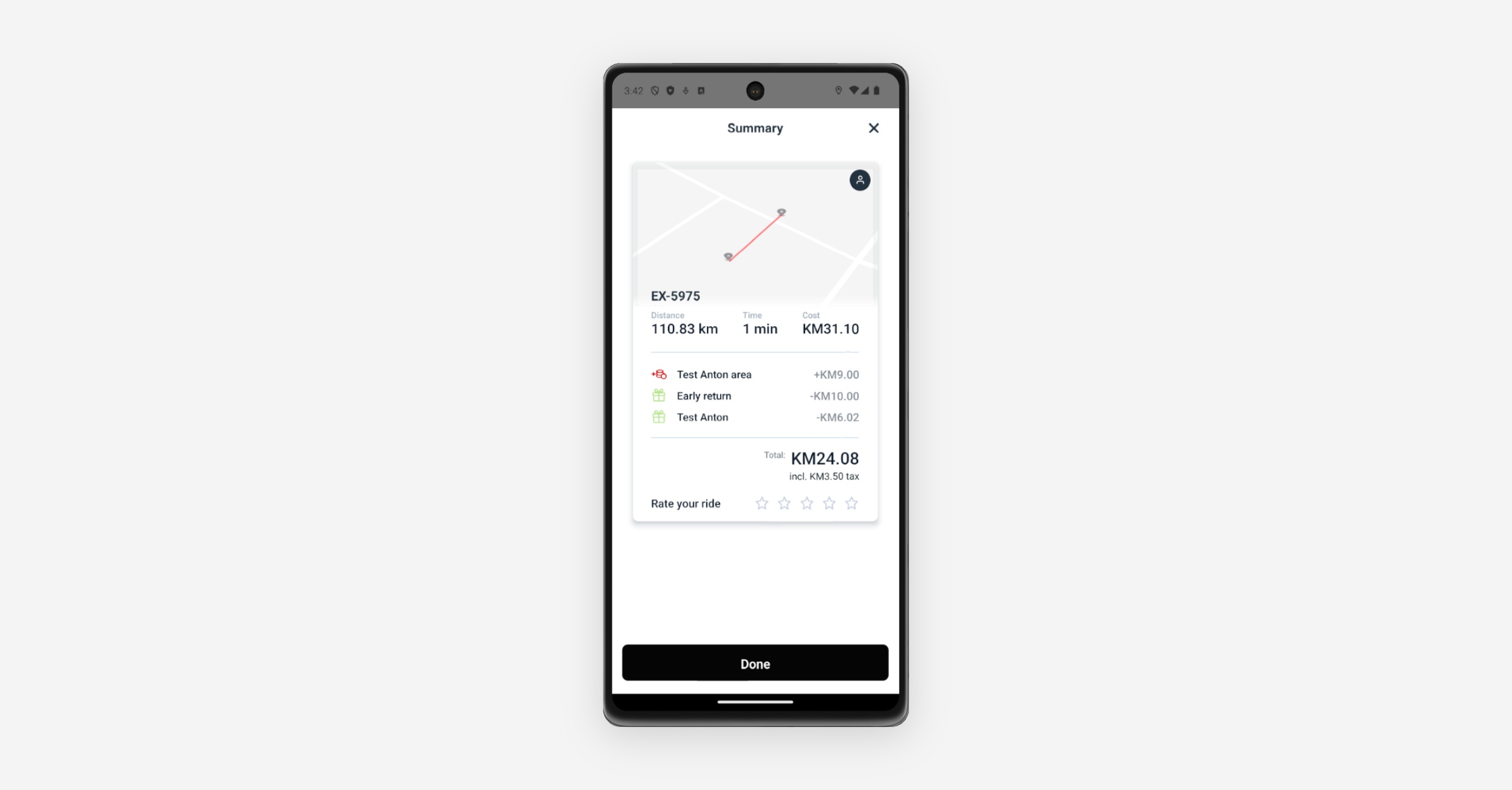
The mobile app now supports displaying rebates from Referral Vouchers and Early Return Discounts, providing users with full transparency on all applied savings.
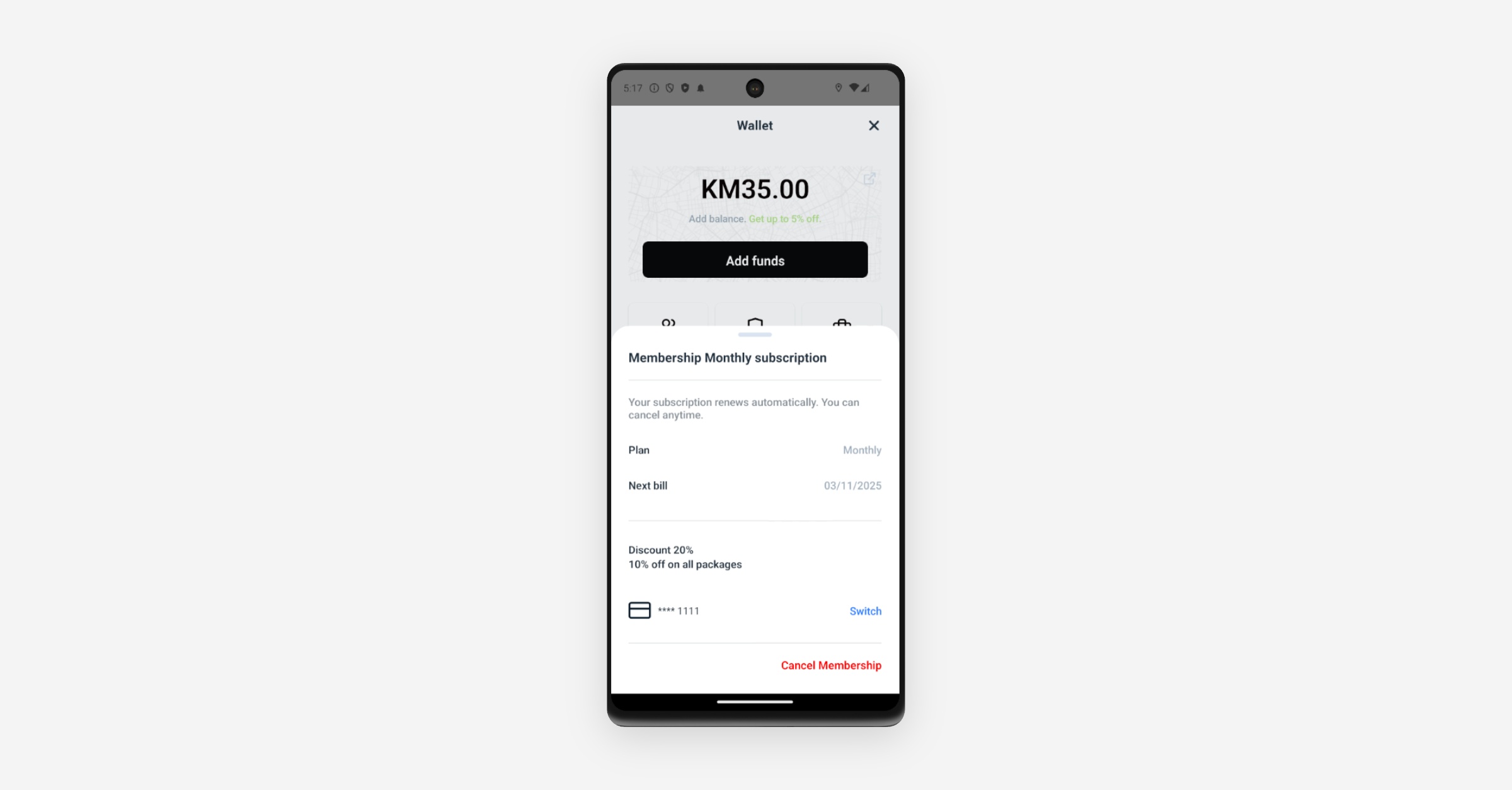
The subscription display in the mobile app has been improved to address critical user visibility issues. The system now supports two new capabilities: displaying the name of the active subscription and clearly showing the percentage discount on packages associated with the subscription. These changes ensure customers have full written confirmation of their active subscription and can clearly see the discounts and benefits they are receiving.
Users with no email and name information are now able to update this information in the mobile app without facing a validation error.
The directional button icons on the Active Ride cards in the mobile app now redirect end users to Google Maps showing the exact address of the start or end station, providing precise booking details.
Booking
New language keys have been added to the mobile app to correctly display the status of bookings. This ensures that the status (e.g., BOOKED (Pending), APPROVED, DECLINED) is visible and understandable to the user, providing clarity on which bookings require operator action.
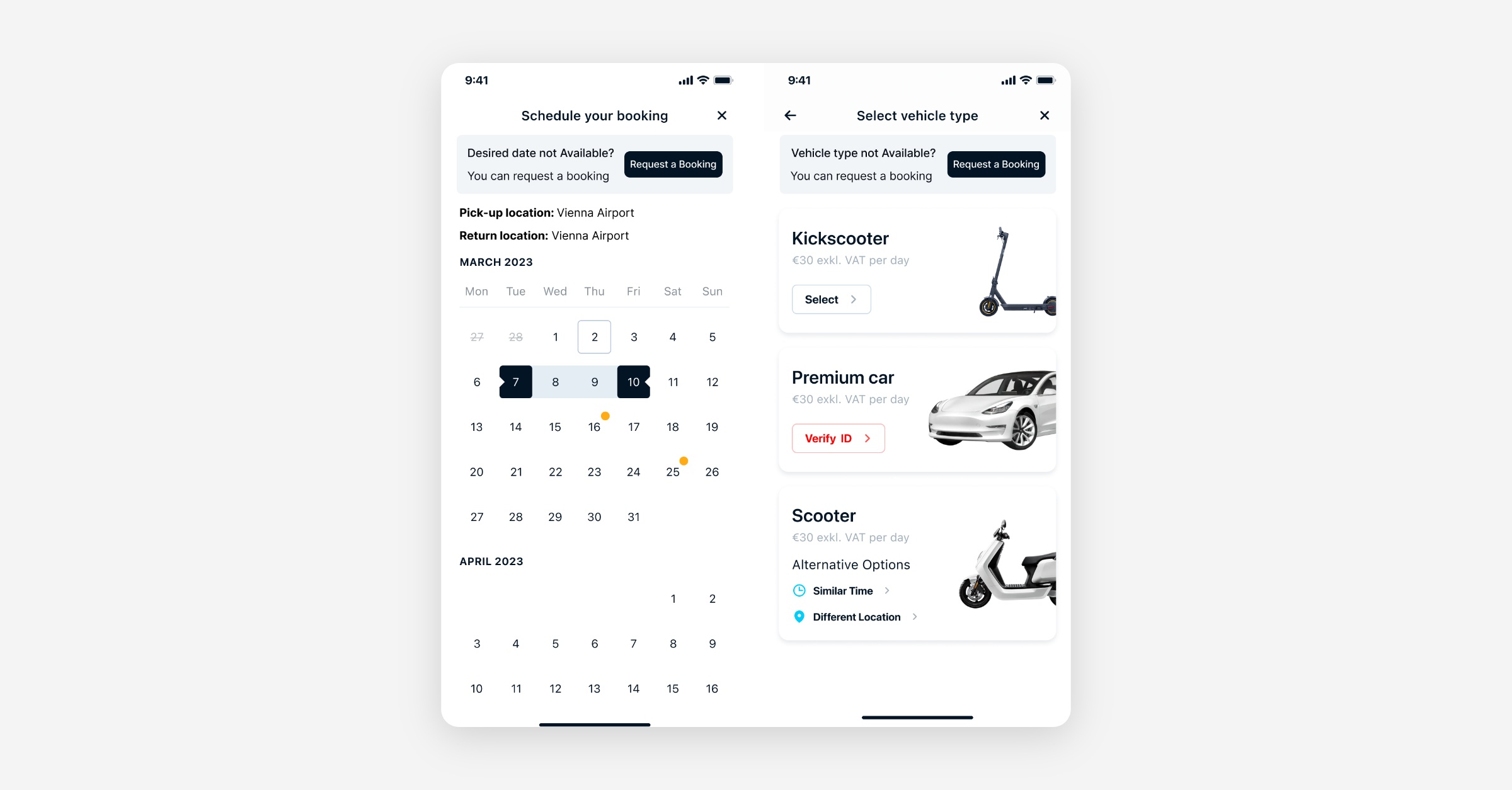
Request Booking is now available in the mobile app, allowing end-users to submit a booking request even when no vehicles are immediately available.
Pending Requests: All successful requests result in a PENDING (BOOKED) booking, visible to both users and operators.
Revenue Opportunity: Operators can manually accept or decline requests based on fleet availability.
Availability Gating: End-users can request against blocked dates, times, and configured vehicle categories.
Operator Review: The system emits events and status badges (Pending, Approved, Declined).
Seamless Integration: Controlled via a branch setting that defines which stations accept booking requests.
Web App
Booking
The Booking WebApp now correctly sends the userGroupCode when fetching available additions and calculating booking prices for Business Bookings. This ensures that users only see and are priced for the list of additions available to their specific business group.
New Dashboard
B2B
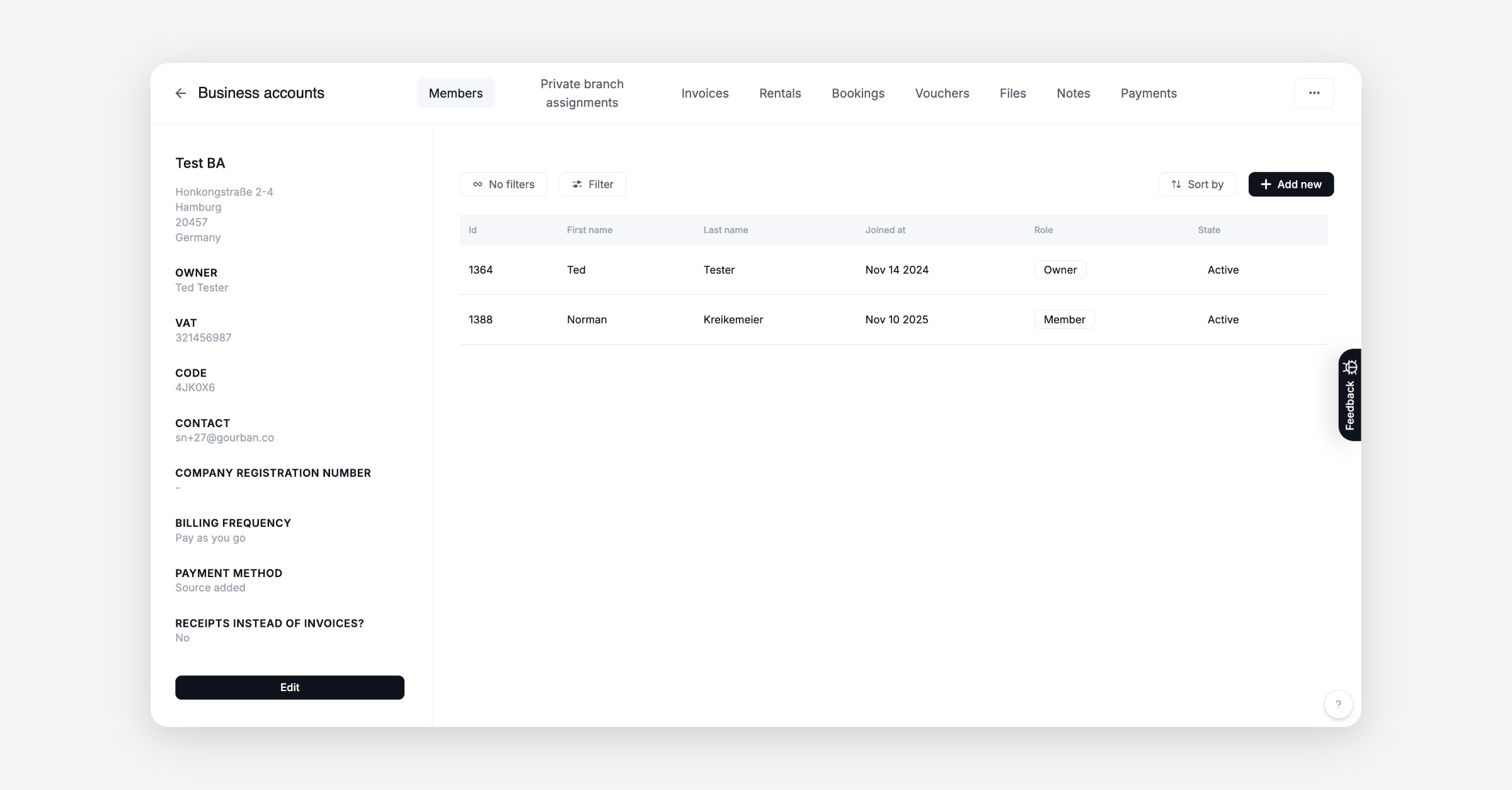
The Business Accounts view has been significantly improved to reach full parity with the old dashboard.
Financial Management: New tabs for Payment Methods, Vouchers, and Balance History.
Operational Visibility: Join Code added; Notes and Files tabs now available.
Member Management: Add/Remove members fully supported.
Trip History: Dedicated tabs for Bookings and Rentals.
Tag-based control: Operators can classify accounts (Internal/External) and control Additions visibility using tags.
Booking
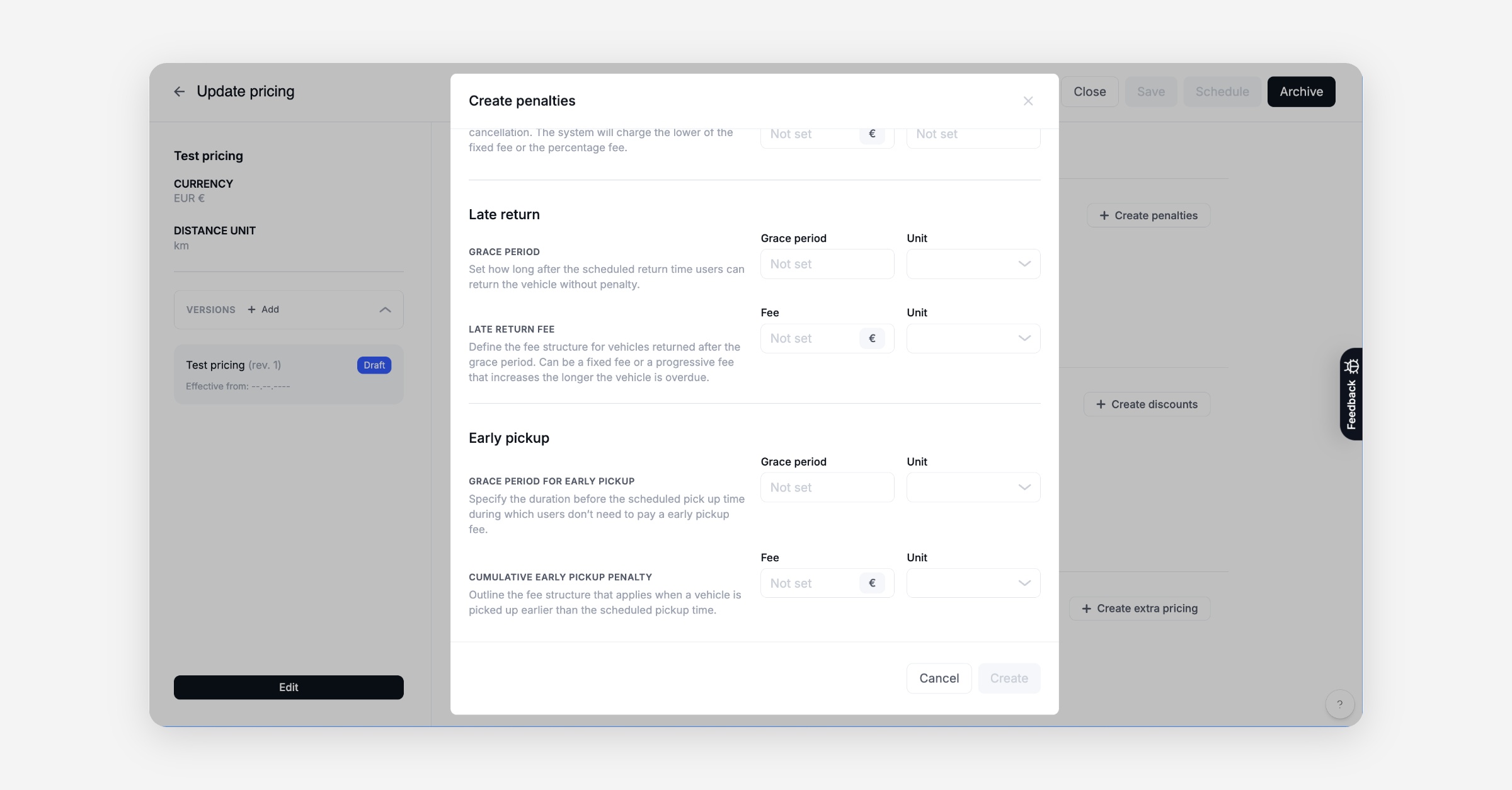
A new capability has been added to pricing bundles, allowing operators to charge users for early pickup of scheduled bookings. This feature follows the familiar structure of late return fees, enabling configuration of a grace period and a per-time-unit fee to ensure accurate billing for early vehicle use.
The system's billing logic has been refined for better clarity and consistency. When a booking is cancelled after the scheduled start time, the user is charged 100% of the booking cost. Early Return Discounts are strictly reserved for rentals that were successfully picked up and ended ahead of the scheduled end time.
The cooldown period logic has been updated to automatically adjust when you edit a booking's route (e.g., changing from a Round Trip (A-A) to a One-Way (A-B) trip, and vice versa). This ensures that the correct cooldown is applied immediately, eliminating the need for manual adjustments in the management panel.
A bug that allowed overlapping bookings for the same user to be created via the dashboard has been fixed. The system now warns and prevents an operator when trying to create a new booking for a user if they already have an active or future booking, ensuring accurate user schedules and fleet planning.
The booking calendar interface has been cleaned up by combining multiple toggles into a single filter menu. This reduces visual clutter and allows operators to more efficiently filter for various options, including Pending Bookings.
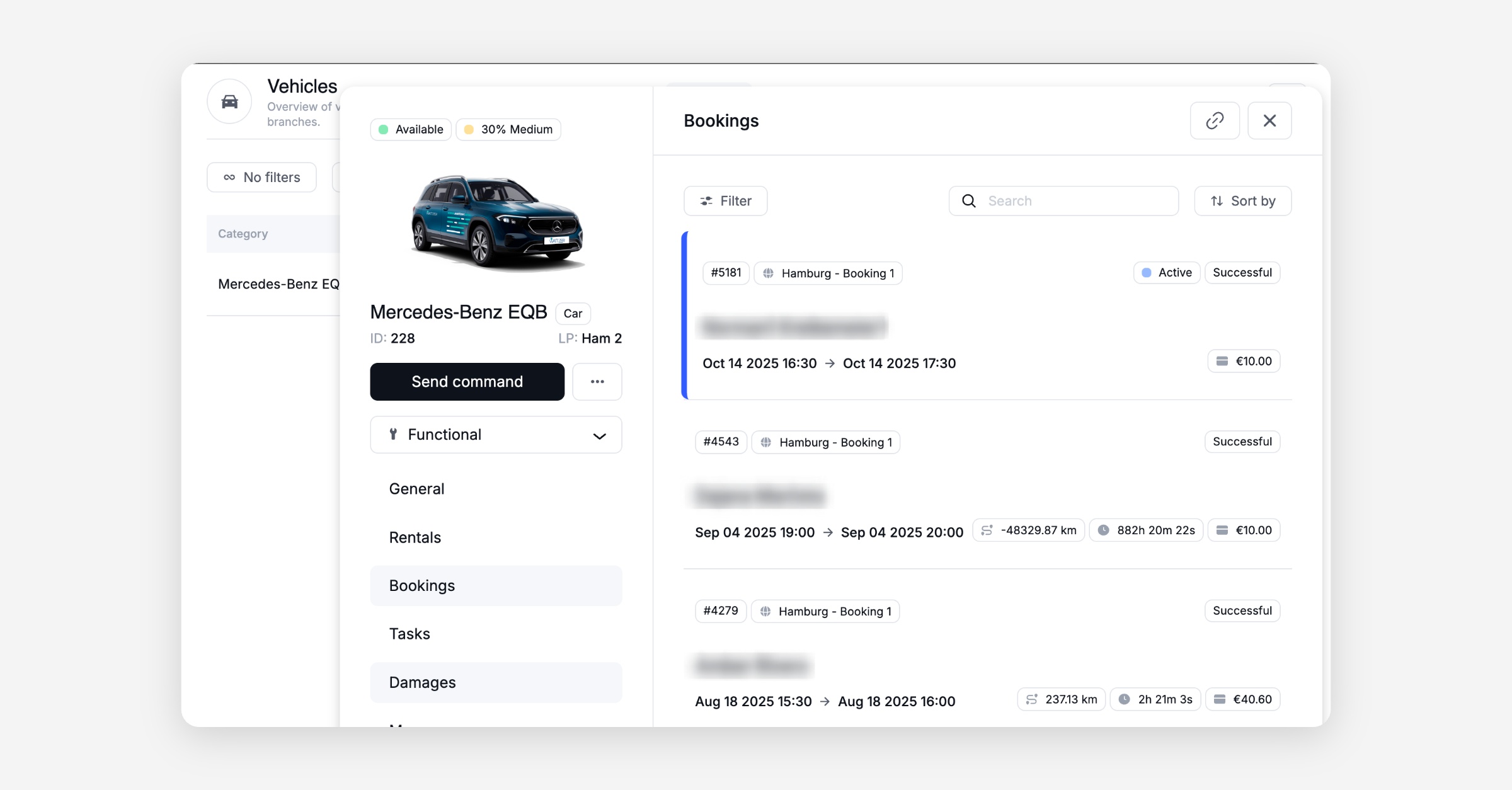
The user’s booking overview in the dashboard has been enhanced to highlight the currently active booking and rental with a distinct color. This helps customer support agents quickly identify the correct trip, improving efficiency when handling customer support calls.
The cancellation and late-return policy descriptions in the dashboard have been updated for greater clarity and transparency. This ensures that operators can understand and configure pricing penalties more accurately.
General
The Changelog has been integrated into the dashboard. This allows to also get information about the latest product updates and recent improvements directly within the dashboard.
A bug and feedback reporting tool has been integrated into the dashboard to enable in-dashboard feedback collection, screenshot reporting, and contextual bug submissions directly from affected users. This speeds up the process of continuous product improvement. For high criticality bugs, please continue using the known channels.
The Reported By field in the damage details view is now editable. This allows customer support agents to accurately assign the user who called in to report the damage, which improves documentation and traceability for investigation workflows.
The dashboard now prevents operators from changing the vehicle assigned to a booking after the rental has started (picked up). This resolves a bug that allowed assignment changes to be executed incorrectly, which caused the user's mobile app to display the wrong vehicle and blocked the continuation of the trip.
The capability to set an invoice status to LOST has been added to the dashboard. Operators can now use the action menu to mark invoices in Exception Paying/SEPA or Collection states as LOST, which supports accurate financial reporting for unrecoverable funds. A confirmation modal is included to prevent accidental changes, as this action is not reversible.
Refunded invoices in the dashboard now display the name and details of the agent who processed the refund. This improves internal accountability and allows support teams to easily track refund flows for auditing and training.
The visibility of Business Unit (BU) context has been improved across the dashboard's Promotions sections. The page headers and the "Create Voucherable" modal now clearly indicate which Business Unit a voucherable is linked to or being created for. This ensures operators avoid the risk of incorrectly assigning vouchers, which could make them unavailable to the intended user group.
The Business Unit configuration in the dashboard's 'Billing' tab now includes a field for "Pre-Authorization Amount." This new capability allows operators to set or disable the pre-authorization amount charged to a credit card when it is first added, providing greater control over payment method validation directly within the dashboard.
The visibility of files in the Vehicle details section has been improved. The dashboard no longer shows files that were specifically uploaded as damage photos, ensuring that the Files tab remains clean and focused on general vehicle documentation. Damage photos are now only visible within the relevant damage reports.
A bug in the dashboard's issue creation flow has been fixed. The invoice generation module now closes automatically after submission, resolving an issue where the module remained visible and required manual closure. This streamlines the operator's workflow.
A bug causing some invoice states to be missing in the side panel tabs has been fixed. All invoice status tags are now correctly displayed, ensuring an accurate financial overview.
A bug in the dashboard has been fixed where Insurance add-ons were not saving correctly under Branch Pricing.
A bug in the dashboard has been fixed where updating a damage status in the side panel did not refresh the main overview page. The damage status now updates automatically, ensuring the overview reflects the current state in real time.
A bug has been fixed in the dashboard’s damage view where the linked user’s details could not be opened. Operators can now access connected user details directly from the damage report, streamlining investigation and supporting the goDash migration.
Fixed a bug in the dashboard’s damage view where the “Previous Rental” button was disabled. The active and previous rental cards now display correctly, helping operators quickly access and review relevant rental history when managing damage reports.
Platform
Booking
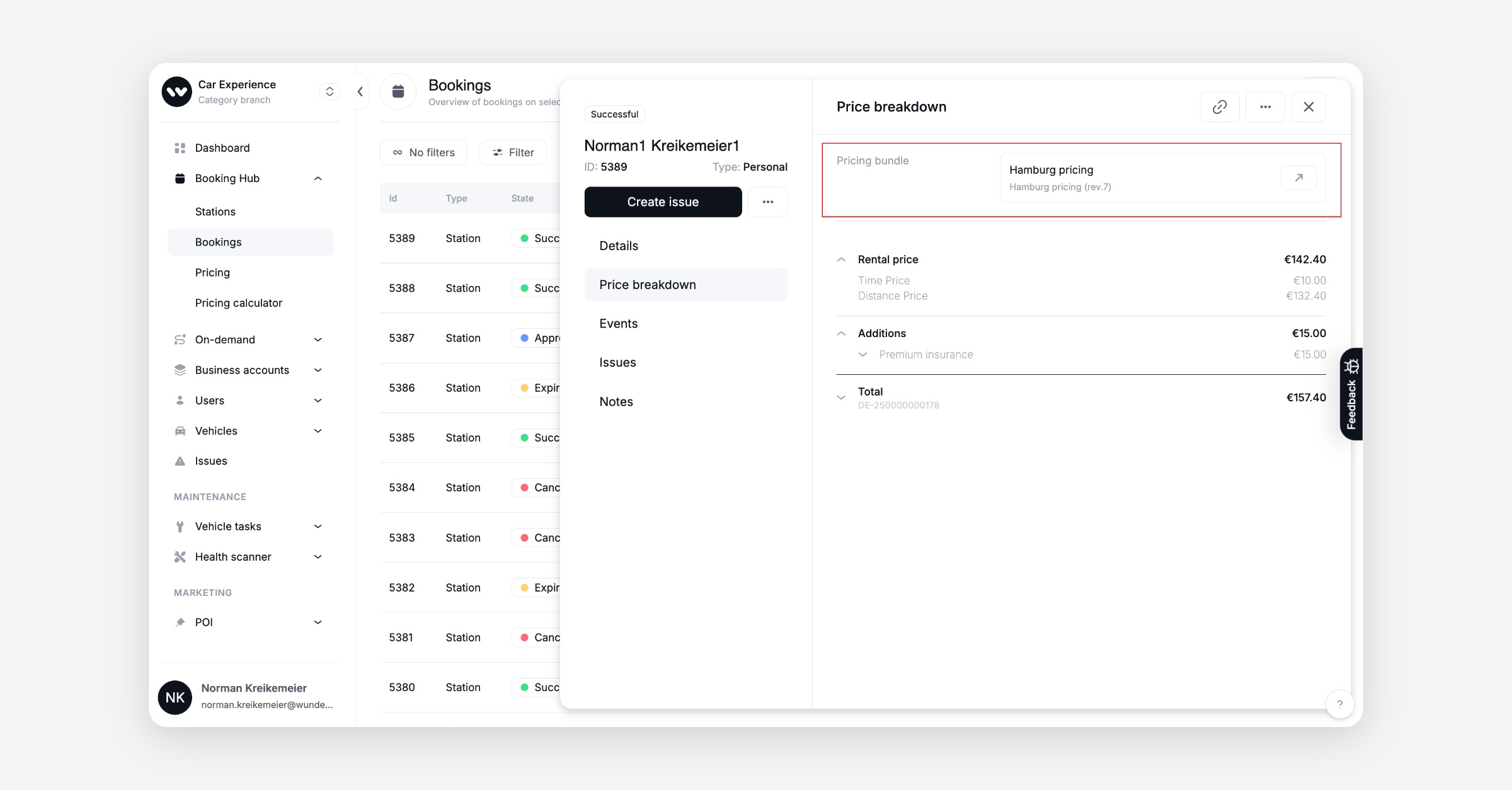
Backend now includes pricing bundle version information in the booking response for greater traceability and auditability.
The system now removes cooldown time from the start station when an A-to-B booking ends. This prevents unnecessary blocking of start-station capacity and maximizes vehicle and station availability.
An issue allowing double bookings during a booking extension has been resolved. The system now detects and displays a conflict warning when an operator attempts to extend a booking into a slot already occupied by the same vehicle, preventing accidental scheduling errors.
A bug has been fixed where the wrong cooldown was being used for timeslot availability checks during A-to-B booking creation. The system now consistently uses the cooldown from the start station for both A-to-A and A-to-B bookings, ensuring accurate conflict detection and availability reporting.
Voucher validity logic fixed – the system now correctly applies vouchers against the operator-provided backdated rental-end time, preventing incorrect charges and eliminating the need for manual refunds.
General
The manual verification workflow has been updated to ensure that users receive email notifications when their Driving License or ID Document verification is manually approved or rejected by an operator. This provides customers with immediate confirmation of their eligibility status.
The invoice template has been updated to show the primary rental line item first, followed by the insurance line item.
Purchased extended reservation time is now explicitly itemized on the rental invoice. This ensures that the cost and reason for any price increase are clearly stated in the Rental line item, providing full transparency on billing for customers.
The rental invoice line item display has been updated to show the surcharge area fee as the last entry. This improves clarity for customers by visually separating the fee from the rental costs that are eligible for discounts.
Voucherables now support invoice specific localisation, which takes the form
voucher.name.[id].invoice. Note that invoice templates need to be updated to support the new capability, and will not display this by default.A bug causing the premature consumption of purchased reservation time has been fixed. The system now correctly prioritizes the consumption of paid reservation minutes before free minutes. This ensures that purchased minutes remain available if a reservation is cancelled, preventing customer frustration and support ticket influx when a user switches to a different vehicle.
The system no longer sends unconfigured SMS notifications. This fix ensures that only notification channels explicitly configured by the operator are used, resolving an issue where the system was sending unconfigured SMS (Vehicle Assigned Notification). This guarantees that notifications align with the operator’s settings and reduces unnecessary communication costs.
The process for managing active geofence promotions and surcharge areas has been adjusted. Operators can now directly edit the geo-area (the geojson map boundaries) for an active promotion. This change also includes resolving a small frontend rounding issue related to discount values.
The Booking assigned template now support the
vehicle_nameplaceholder and the refund template now supports thefirstNameplaceholder again.A critical bug in the user verification process has been fixed. The system now prevents a race condition where simultaneous updates could accidentally overwrite an "Approved" status, causing verified users to incorrectly display as "Processing" in the dashboard. This fix ensures that the customer profile always shows the correct verification status.
PDF generation now supports a flag indicating that the addressee is a business or a private user.
The Retool report 'Branches - full information' now provides the following address details in separate, dedicated columns for easier analysis and reporting: Postal Code (postCode), Street, City, Country. This allows operators to use the postal code as a reporting identifier without having to manually extract it from complex JSON columns.
A bug in the operator notification email has been fixed. The
{{damageLink}}placeholder in the "a new damage was created" email now correctly directs the user to the damage report page in the dashboard, resolving the 404 error and improving the efficiency of damage investigation.Added support for Navee V1 Pro Scooter with Omni IoT.
API
General
Allow update of user-group tags through operations API.
All operations relevant for managing business units are available under the new
/back/business-units endpoint./back/revenue-centersis now deprecated.
Data / BI
General
A new “List of Bookings” report has been created, merging booking and rental data into a single comprehensive view. This ensures operators have all necessary information (including trip distance, start/end coordinates, and detailed costs) for analysis and reporting — a critical step for aligning reporting with the new dashboard logic. The report supports five standard time filters for efficient data extraction: All Time, Current Day, Last Day, Current Month, and Last Month.