
Wunder Mobility changelog
Release 07-2026 - The New Operations Map
Highlights
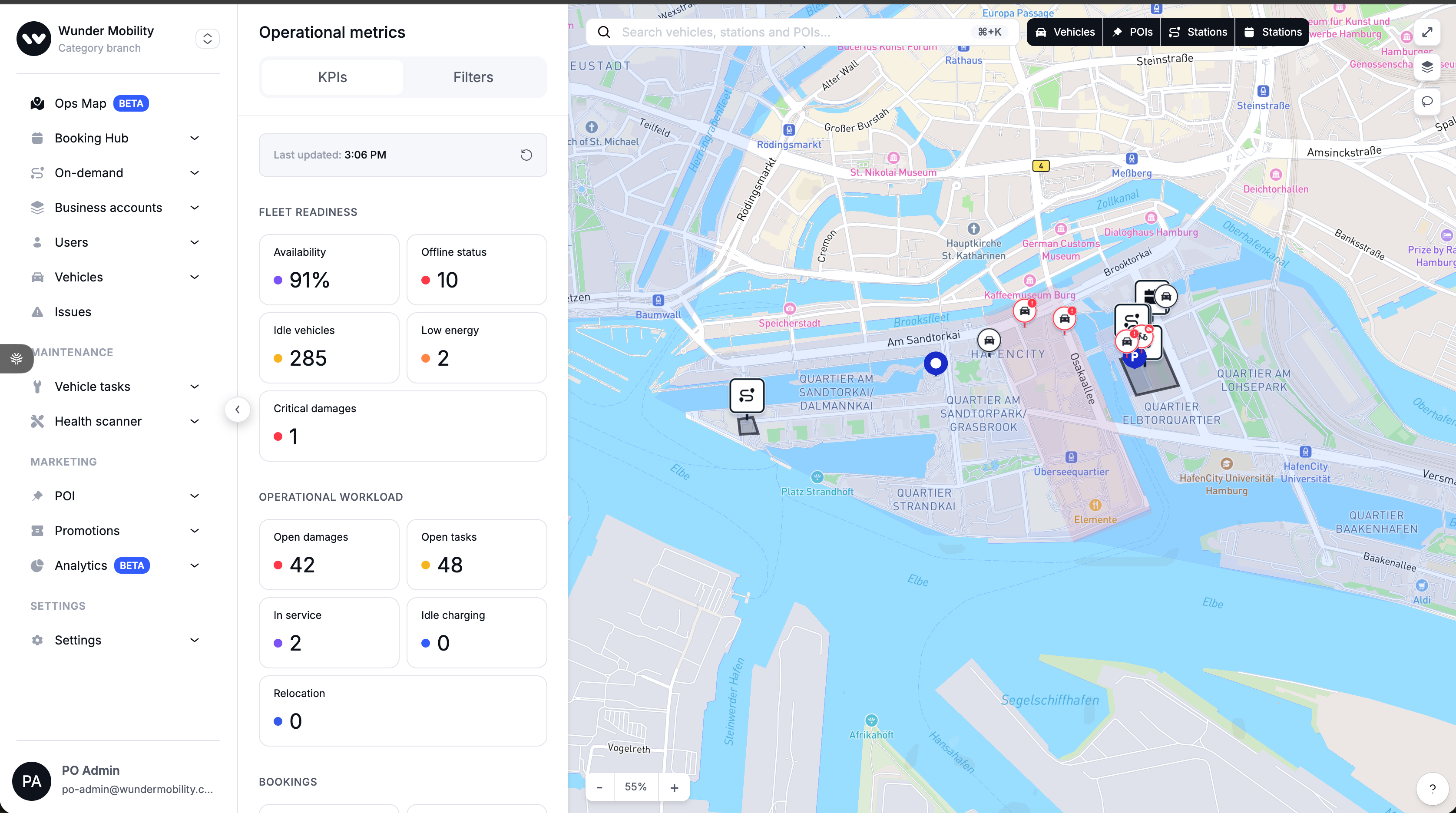
Real-Time Fleet Operations Map We have launched the new Operations Map, a unified command center built for real-time fleet monitoring and rapid decision-making. This update brings together several major improvements into one seamless interface:
Unified Visibility: View your entire fleet, stations (pre-book & on-demand), and points of interest (POIs) on a single map. We've added a User Demand Heatmap layer that visualizes where users are opening the app in real-time (last 60 minutes), helping you identify hotspots and reposition vehicles effectively.
Smart Filtering & KPIs: A new sidebar displays live operational metrics—such as availability percentage, idle vehicles, and open tasks—allowing you to click any KPI to instantly filter the map for those specific vehicles.
Lasso Selection: You no longer need to click vehicles one by one. Use the new Lasso tool to draw a freeform shape around any area on the map to select multiple vehicles instantly.
Bulk Actions: Once vehicles are selected, you can execute bulk operations immediately. This includes changing service states, updating branches or vehicle categories, adding tags and notes, or creating tasks for your street team.
Clarity & Performance: Vehicles are now intelligently clustered to reduce clutter, and we have refined the vehicle status logic. The map now explicitly prioritizes critical states—showing if a vehicle is "On Trip," "Reserved," or in "Maintenance", so you never have to guess a vehicle's true availability.
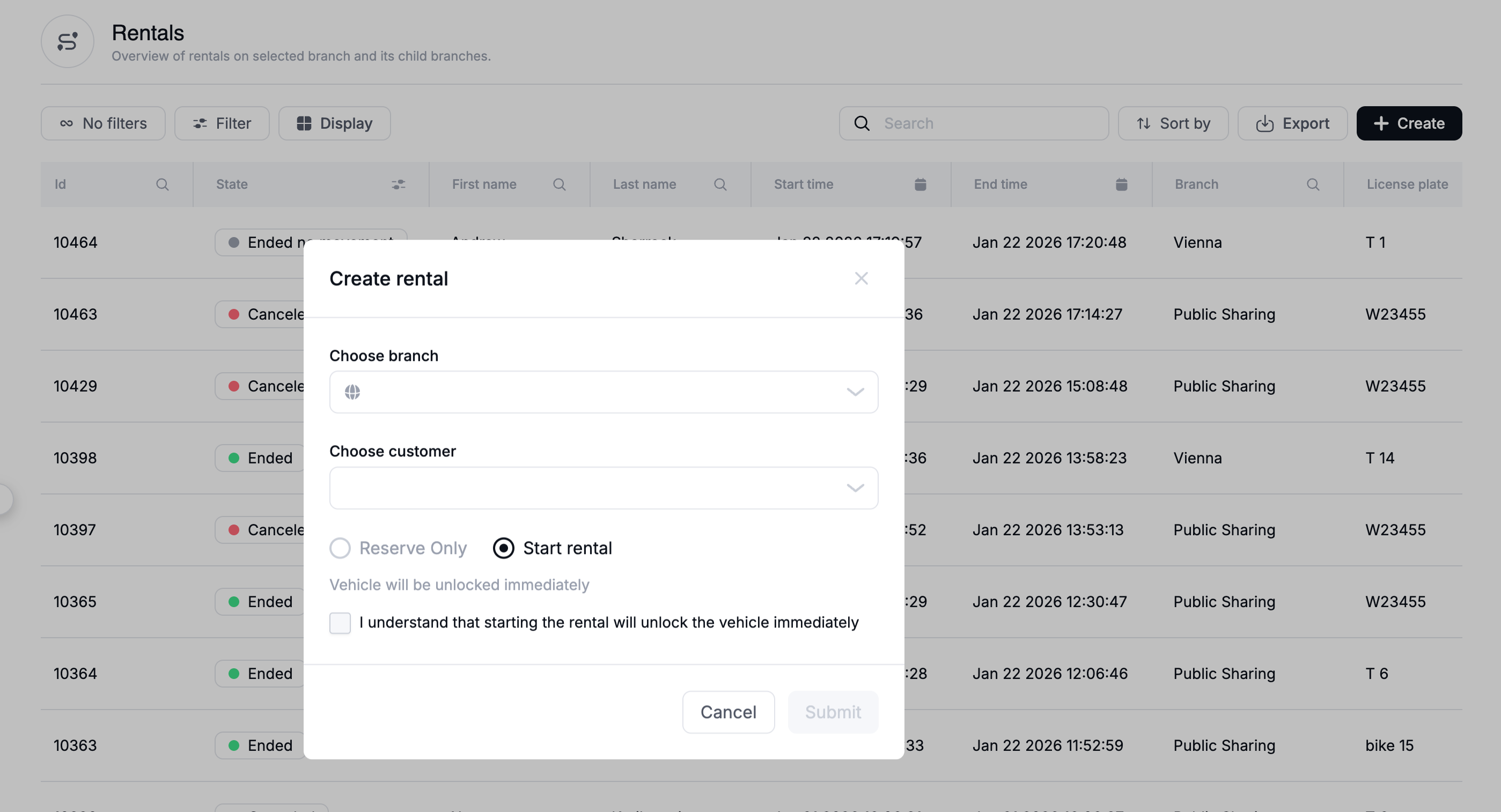
Dashboard Safety: Rental Unlock Warning: To prevent accidental vehicle unlocks, the "Create Rental" modal in the dashboard now displays a prominent warning. It explicitly clarifies that creating a rental immediately unlocks the vehicle, ensuring support agents verify the customer is physically at the car before proceeding.
New Dashboard
General
Operations Map Enhancements:
User Demand Heatmap: Added a toggleable map layer to visualize "User App Open" events for demand analysis.
Bulk Actions UI: Implemented the frontend interface for executing bulk commands (Notes, Tasks, Tags, State Changes) on vehicles selected via the map.
Vehicle Status Display: Updated the vehicle status logic on the map side panel to explicitly show "Reserved" as a distinct high-priority state, separating it from general "On Trip" statuses.
Subscription Cancellation State: Fixed an issue where subscriptions cancelled by an operator in the dashboard would still show as "Auto Renewal Active" to the end-user. Now, cancelling a subscription automatically sets auto-renewal to
INACTIVE,
Platform
General
Vehicle State Refinement: We have standardized the logic for vehicle status to eliminate ambiguity. The new status hierarchy prioritizes critical operational states in the following order:
On Trip (Priority 1): The vehicle is in a
DRIVINGorPARKINGrental state. (Blue)Maintenance (Priority 2): The vehicle has an
OUT_OF_ORDERservice state. (Orange)System Block (Priority 3): The vehicle is
OFFLINE, hasLOW_BATTERY, or has failed a charging check. (Red)Available (Priority 4): The vehicle is fully available for rent. (Green) This ensures that even if a vehicle has a low battery during a trip, the "On Trip" status takes precedence, clearly indicating it is currently in use.
INVERS Command Reliability: The CloudBoxx integration now performs a "double-check" on command failure. If a command (e.g., Lock/Unlock) returns an error, the system checks the latest telemetry; if the device reports the action actually succeeded, the system treats it as a success, reducing false error reports.