Wunder Mobility changelog
Release 08-2026 - Transparent Pricing & Operational Accountability
Highlights
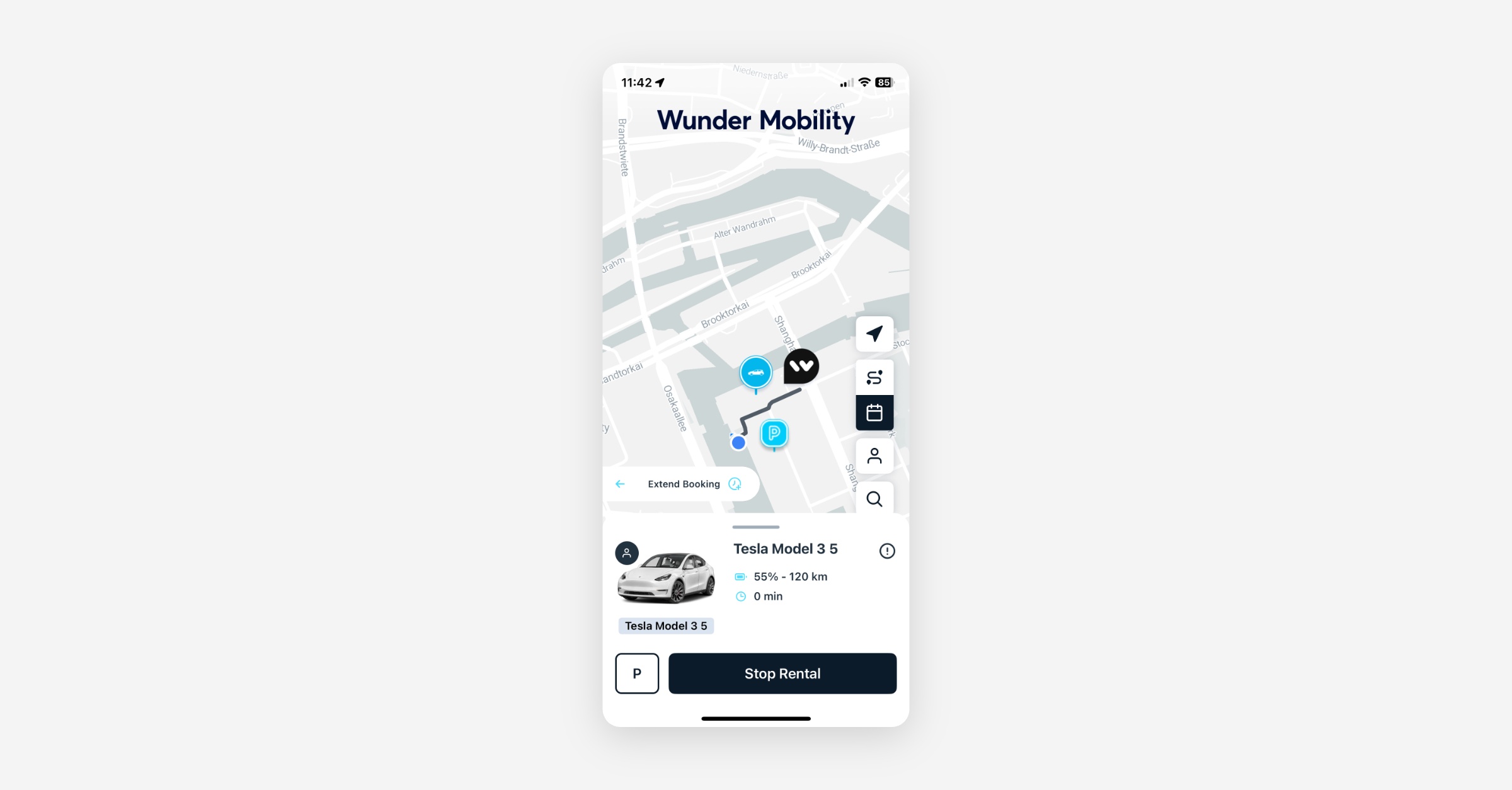
Direct Mobile Booking Extensions Ride extensions are now possible directly from the ongoing ride screen. While extensions were previously available via the Trips section, this update makes the process faster and more convenient by surfacing the option within the active rental view and see incremental costs instantly, reducing manual support requests for trip adjustments.
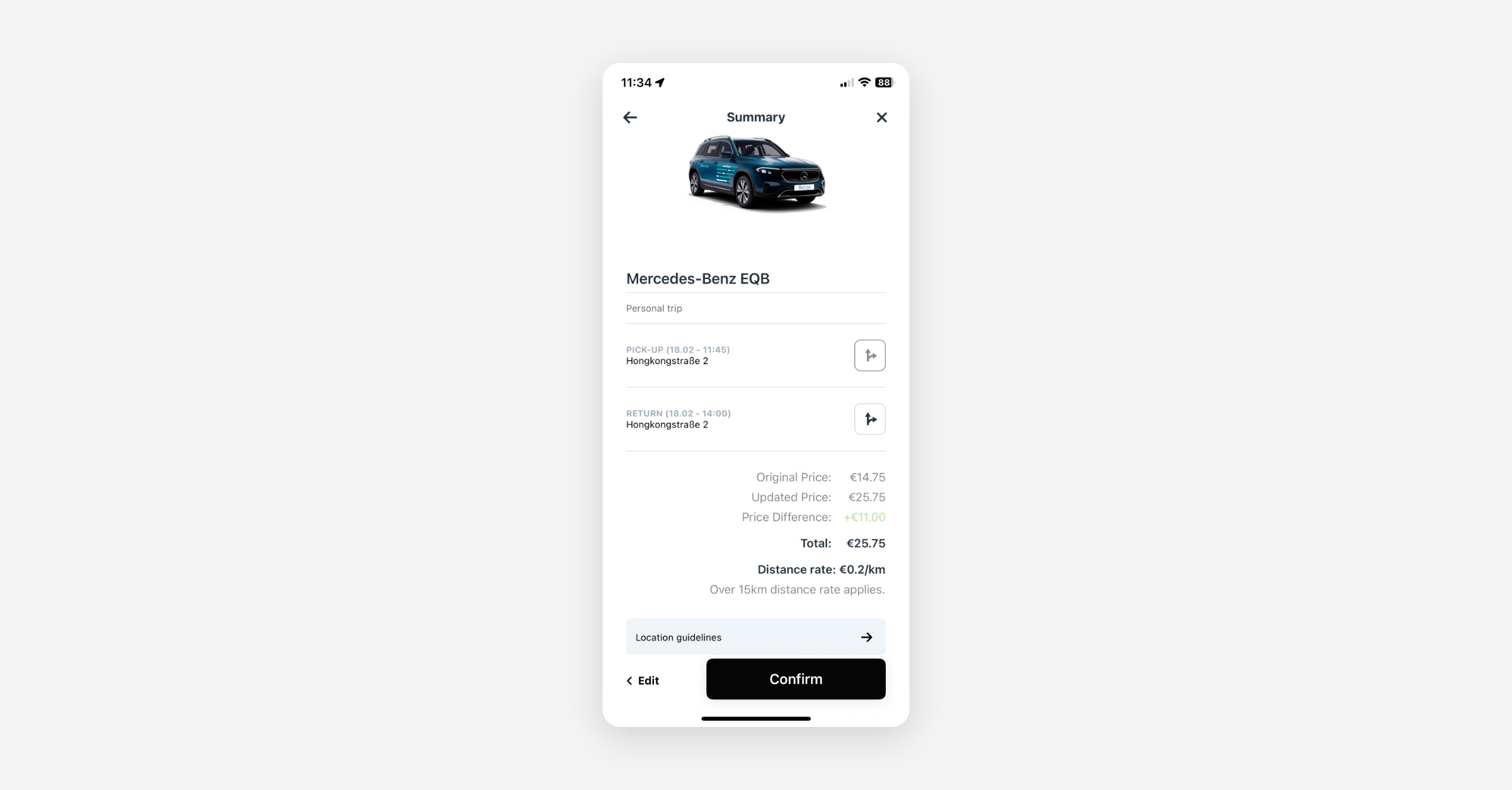
Enhanced Price Transparency for Bookings When modifying a booking, users now see both the original price and the updated total before confirming. This added visibility makes price changes clearer and helps reduce confusion around booking adjustments.
Mobile App
B2B
Sign-Up Fee Exemptions for Business Users: A new configuration allows the app to bypass personal sign-up fees and private payment method steps if a user has joined a Business Account.
Booking
Transparent Pricing for Modifications: When editing or extending a booking, the summary screen now differentiates between the "Original Price" and the "Updated Price". This ensures users are fully aware of the final cost before confirming changes.
Map-Based Ride Extensions: The option to extend an active ride is now accessible directly from the ongoing rental view. Users can select additional time and confirm availability without navigating to the Trips section.
General
Verification - Prevention of Endless Loop: Verification banners are now non-interactive when a driver's license status is "Processing" or "Needs Check" to prevent users from repeatedly triggering redundant verification attempts.
Verification Reset Reliability: Fixed a synchronization issue where manual verification resets performed in the dashboard were ignored by the app due to local caching.
Native In-App Browser for Verifications: External identity verification flows now launch in a native in-app browser instead of a webview to ensure compatibility with modern security standards.
Select Vehicle Tutorial Trigger: Fixed a bug where tutorials would not trigger when a user selected a vehicle at a docking station or via QR code.
Tutorial Deletion Persistence: Resolved an issue where tutorials persisted in the production app even after being deleted in the dashboard.
Newsletter Opt-In Prompt: The prompt to encourage customers to Opt-In to marketing and newsletter communications can now be fully disabled if required.
New Dashboard
General
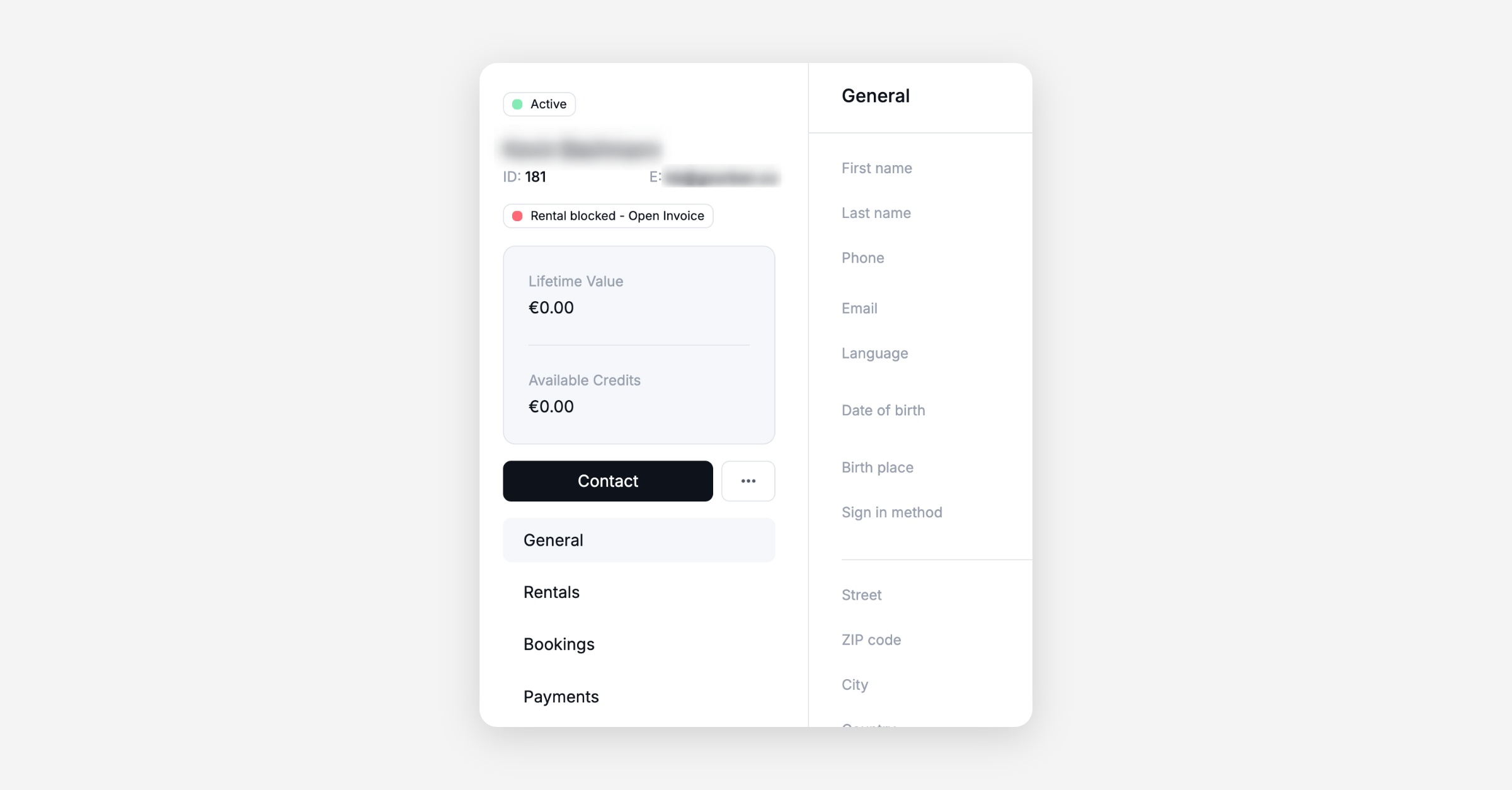
Unpaid Bill Indicators: A prominent banner now indicates if a customer is blocked from starting rentals specifically due to failed invoice payments or open balances.
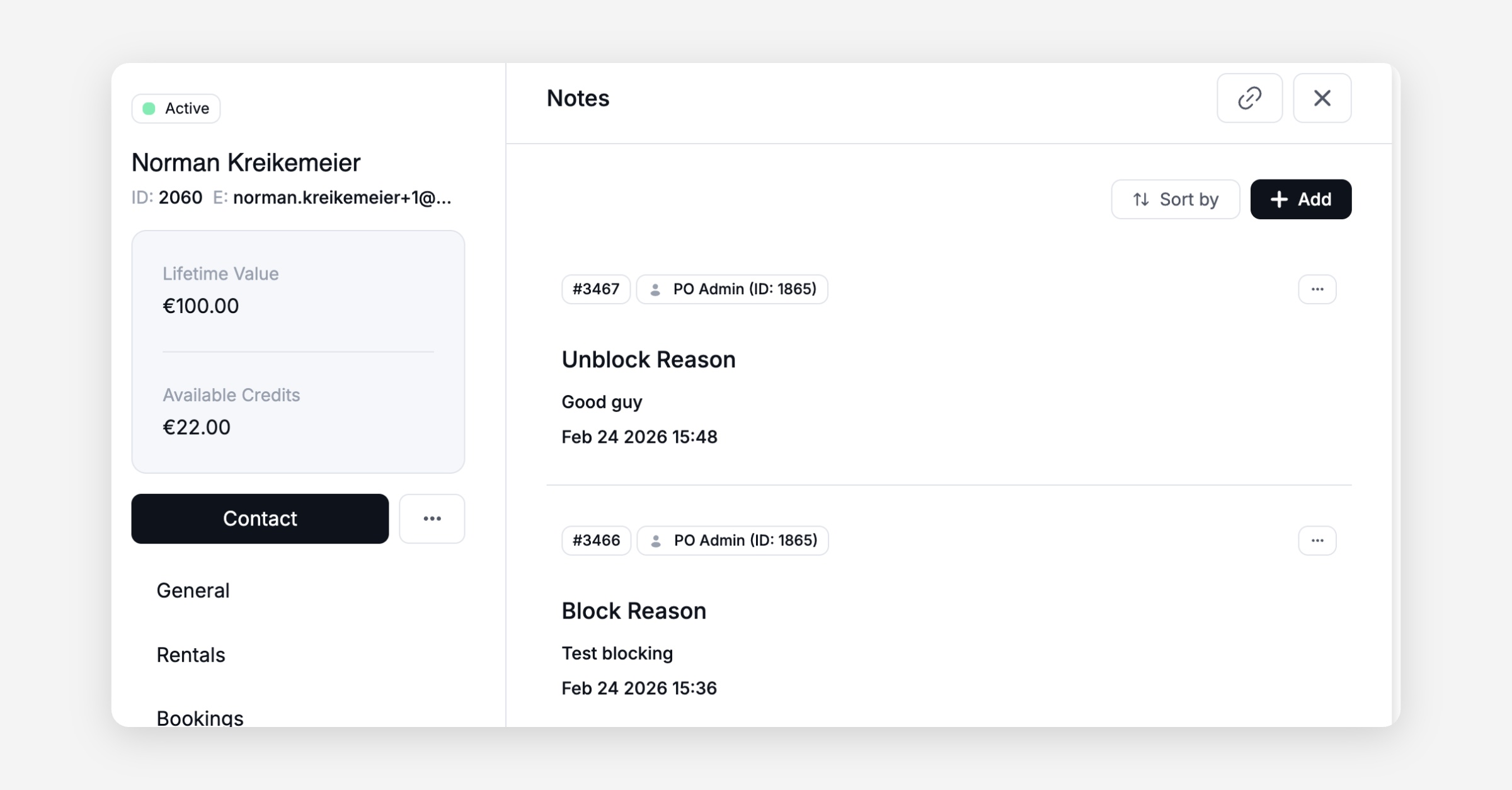
Detailed Unblock Accountability: Unblocking a user now requires the operator to enter a note and records an explicit timestamp.
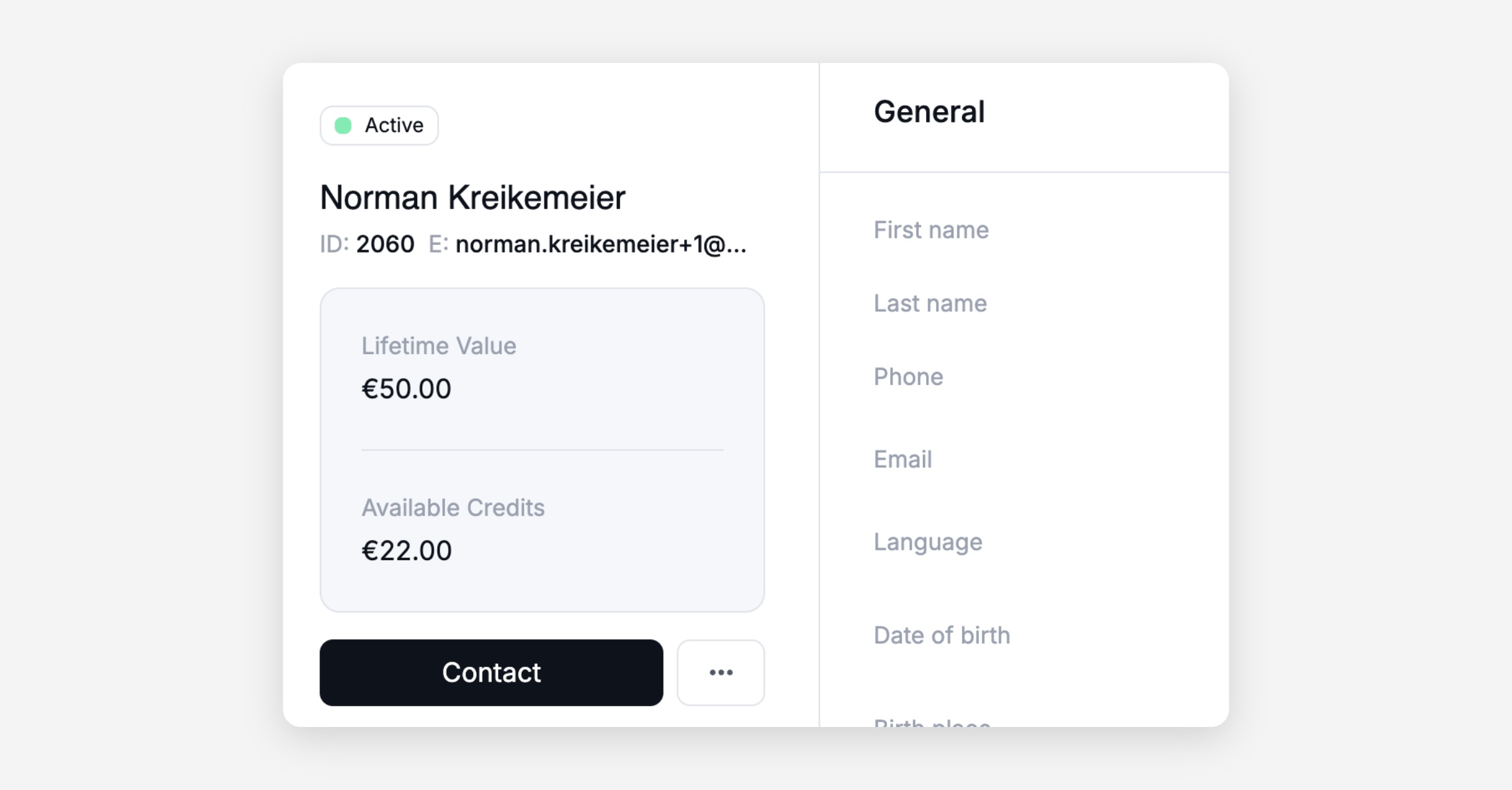
Wallet Balance and LTV Visibility: The user details panel now displays a customer's Lifetime Value (total revenue) and remaining value voucher balance.
Improved Bulk Action Navigation: Added a "Back" button to bulk action screens within the Operations Map so operators can return to the main list without having to go back to the map selection.
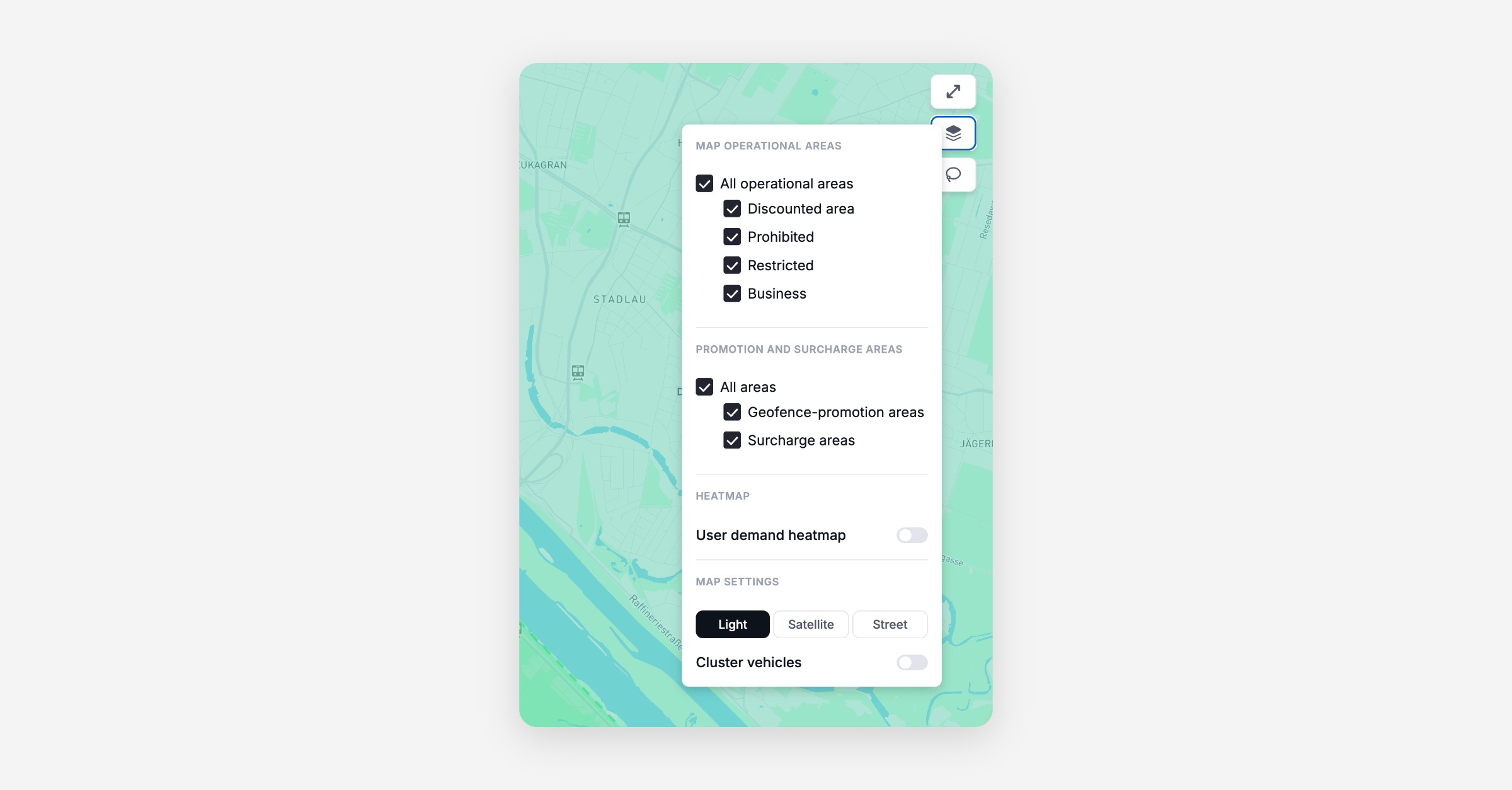
Optimized Map Settings: Operators can now select or deselect all areas at once in map settings. Additionally, Surcharge Areas are separated from Promotion Areas.
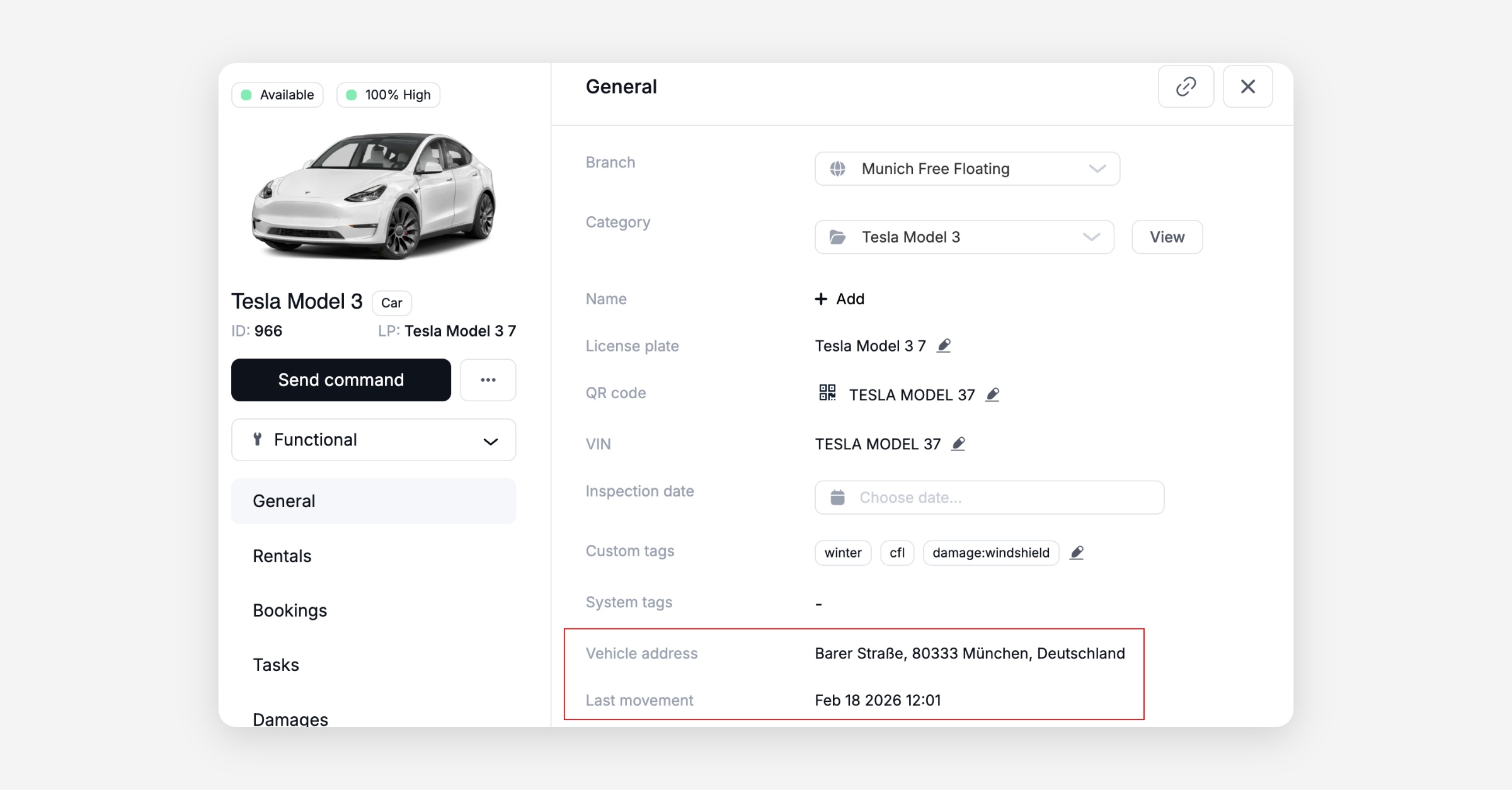
In-Panel Vehicle Address: Formatted vehicle addresses and "Last Movement" timestamps are now visible in the vehicle side panel.
Platform
General
Descriptive Audit Logging: Cleaned up and standardized activity logs across Vehicles, Users, Bookings, and Rentals by removing unhelpful system actions and adding clearer event descriptions. This reduces noise in logs and makes troubleshooting faster and more reliable for operators.
Added more contextual data to booking and rental log entries, including accurate GPS position, battery level, and service state at the time of each event. This provides operators with a complete operational snapshot when investigating incidents or customer disputes.
Clarified Service App log actions to clearly distinguish between Approach, Deploy, and Stop events. This improves visibility into technician activity and reduces ambiguity during operational reviews.