
Wunder Mobility changelog
Release 13-2026 - Pre-Ride Damage Checks & Smarter Fleet Operations
Highlights
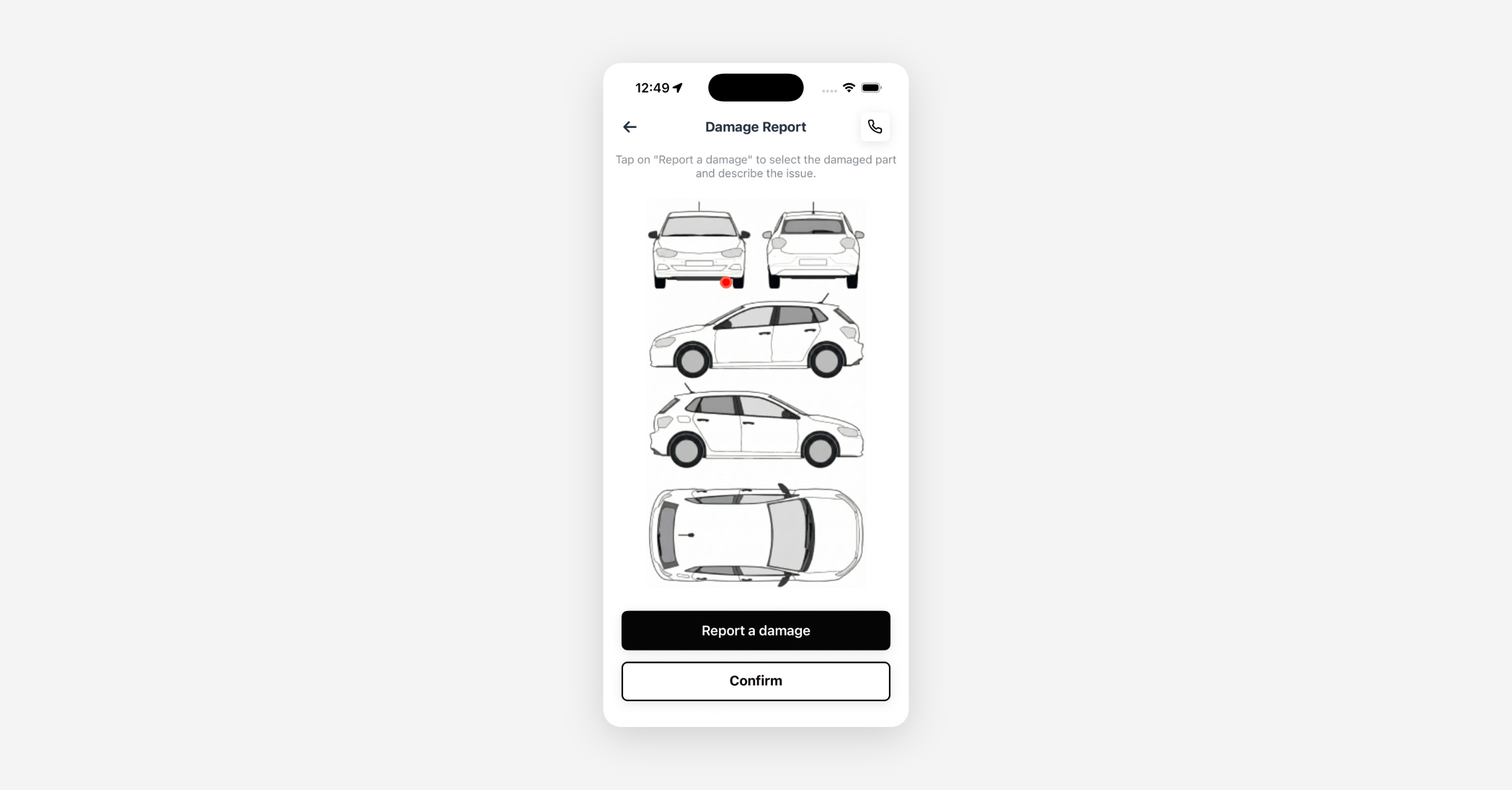
Pre-Ride Damage Confirmation: Before starting a rental, riders now see all known damages on the vehicle, displayed as interactive markers on a vehicle diagram. They can tap any marker to view damage details and photos, report new damages they notice, or confirm everything looks good and proceed. This creates a reliable before/after condition record for every trip, strengthening damage dispute resolution and reducing fraudulent claims. Operators enable this via vehicle category settings in the Dashboard.
Expanded Damage Severity & Automations: Building on last week's "High" damage severity option, operators can now filter and sort by High severity in the Dashboard's damage table and Ops Map, and configure automations that trigger specifically when a High-severity damage is approved. This is closing the gap between severity classification and automated response.
Mobile App
Requires the latest app version. Contact your Customer Success Manager for details.
General
Pre-ride damage confirmation: When enabled, riders see all approved and ignored damages on an interactive diagram before starting their trip. Tapping a damage marker shows all reported damages for that part, including photos and position, with pagination when multiple damages exist. Riders can confirm existing damages or report new issues, giving operators a documented vehicle condition baseline for every rental.
Smoother bottom sheets on mobile: The sharing, docking station, and point-of-interest overlays now adapt to their content height, so information no longer gets cut off or requires unnecessary scrolling on smaller screens.
Button rendering fix on Android: Resolved an issue on certain Android devices where wallet page buttons rendered incorrectly on first visit, requiring a second navigation to display properly.
iOS vouchers back button fix: Fixed a layout issue where the back button on the vouchers page was partially cut off on iOS devices when the text was longer.
Web App
General
Business portal support email fix: Resolved an issue where the business portal displayed the default support email instead of the operator's configured contact address, ensuring business account users see the correct support information.
New Dashboard (goDash)
General
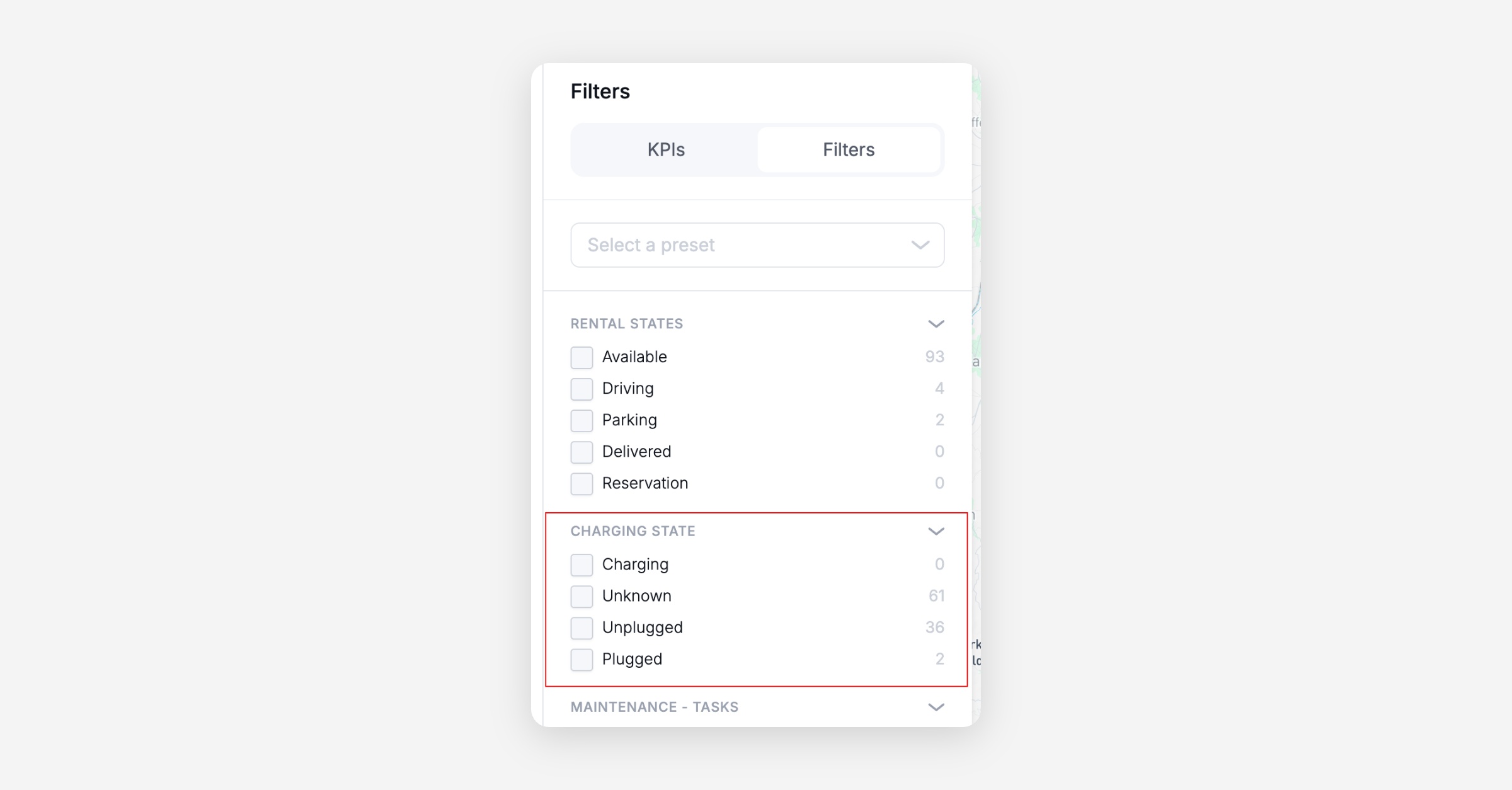
Charging state filter on Ops Map: Operators can now filter vehicles on the Ops Map by charging state (charging, not charging, unknown), making it faster to locate vehicles that need charging or verify which ones are already on charge.
IoT integration type on Dashboard: The connected devices section now displays the integration type for each IoT module (e.g., INVERS, Hardware API), giving operators and support agents better visibility into how each vehicle connects to the platform.
High damage severity in filters and automations: The "High" severity level is now available in the Dashboard's damage table filters, Ops Map severity filters, and damage create/edit forms. Operators can also configure automations that trigger when a High-severity damage is approved, enabling automatic task creation and service state changes for urgent-but-not-critical cases.
Unique code rental limit fix: Fixed a bug in the operator web app where the rental limit for unique voucher codes was not sent correctly when configuring value-based or minute-based codes, causing the limit to not be enforced.
Platform
General
Re-verification cron fix: Resolved an issue where the driver license re-verification cron was skipping users who had mixed verification types, causing them to remain in VERIFIED status past the re-verification threshold. Users are now correctly advanced to PENDING_REVERIFICATION and notified.
Automatic ICCID retrieval from IoT devices: The platform now periodically retrieves ICCID (SIM card identifier) data directly from connected devices and updates the corresponding module record automatically. This eliminates the need to manually provide ICCID during module setup and keeps device identifiers in sync.