
Wunder Mobility changelog
Release 26-2026 - Smoke Detection, Booking Reliability & Address Fields
Highlights
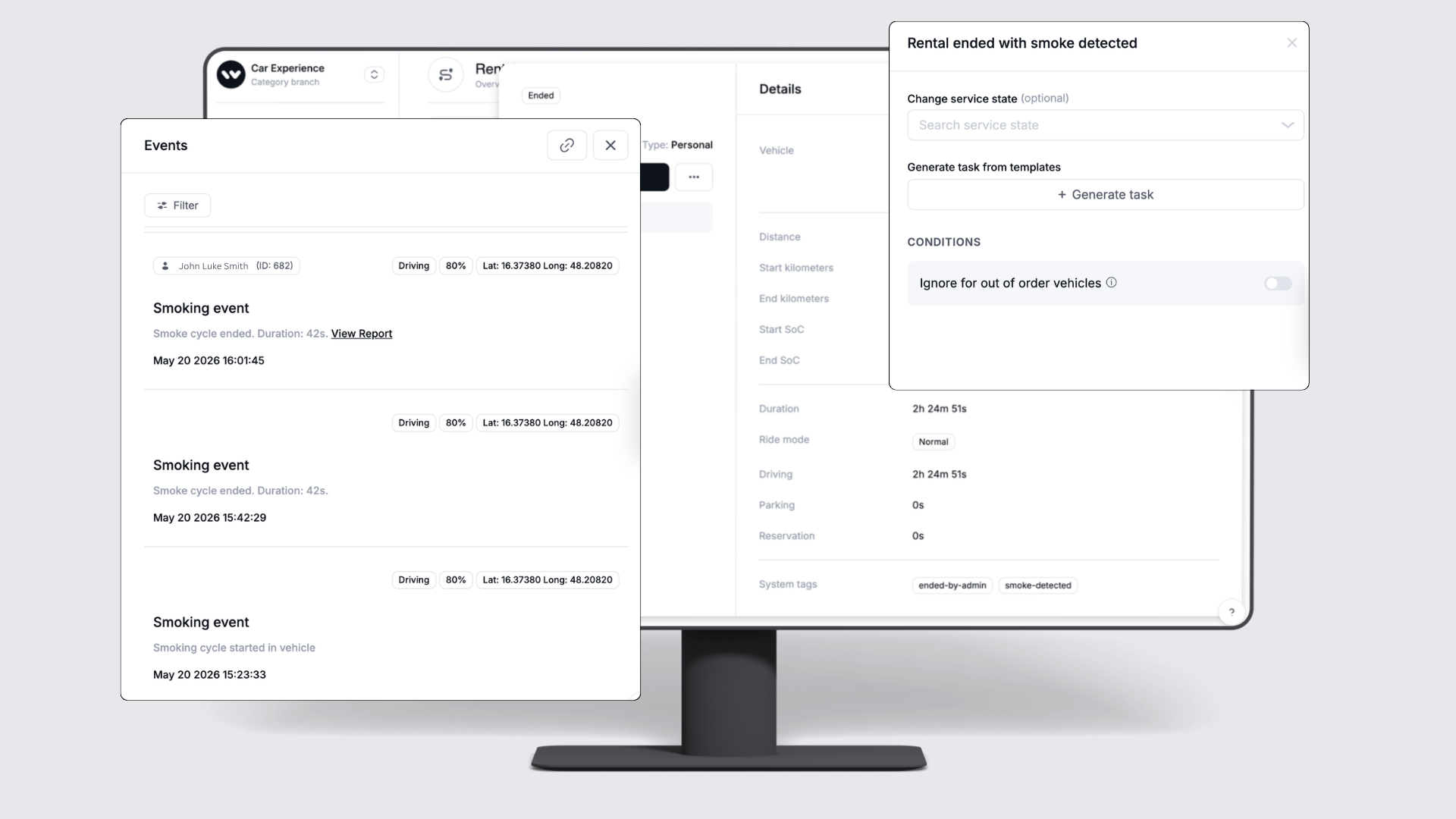
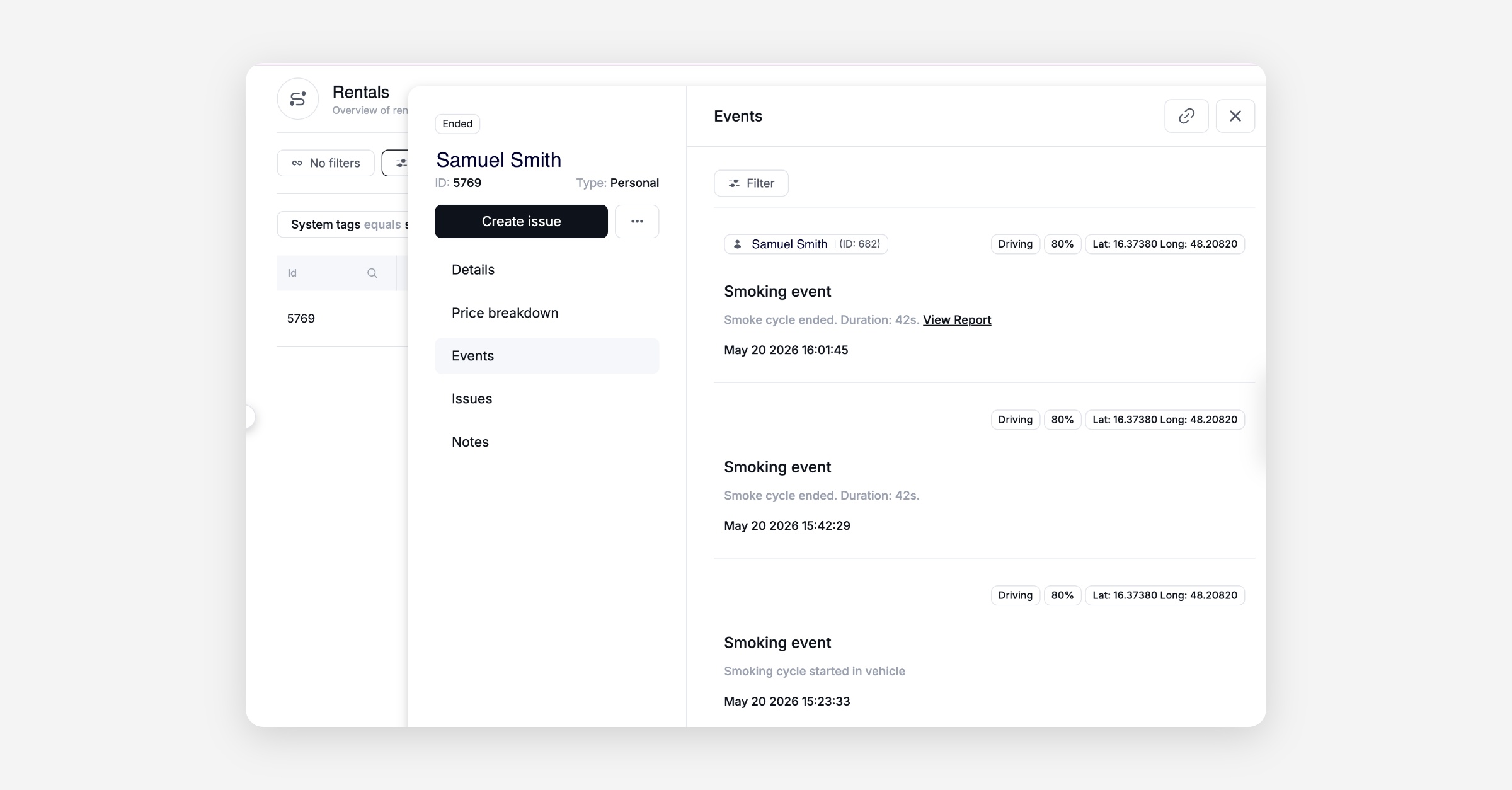
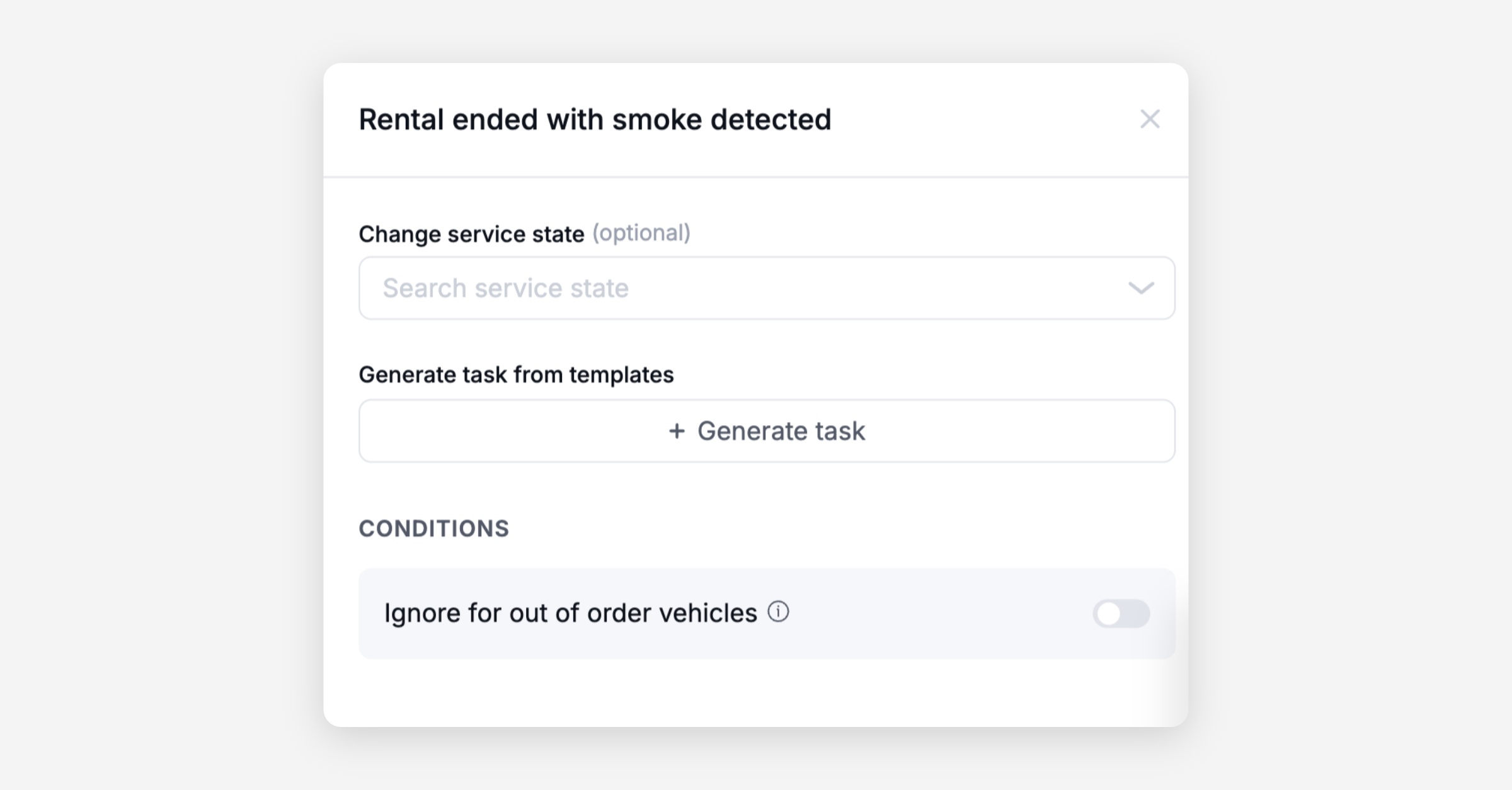
Smoke Detection Automations: Operators can now configure maintenance automations triggered by smoke detection events, choosing their own task template, vehicle state change, and duplicate-handling rules. When a smoke event occurs mid-rental, it is logged to the rental events feed and the rental is tagged automatically, making it easy to filter affected rentals and review evidence when handling disputes. Smoke event details are also visible directly in the rental events view in the dashboard.
House Number and Address Supplement Fields: Operators managing user accounts in the dashboard can now view and edit house number and address supplement fields in the user side panel, and both fields are available as placeholders in invoice PDFs, ensuring postal addresses are complete for mailing RFID cards, collections notices, or other correspondence.
Mobile App
Requires the latest app version. Contact your Customer Success Manager for details.
General
Map display after booking confirmation: Resolved a regression where returning to the map after confirming a booking showed a blank white area covering the top portion of the screen instead of the map.
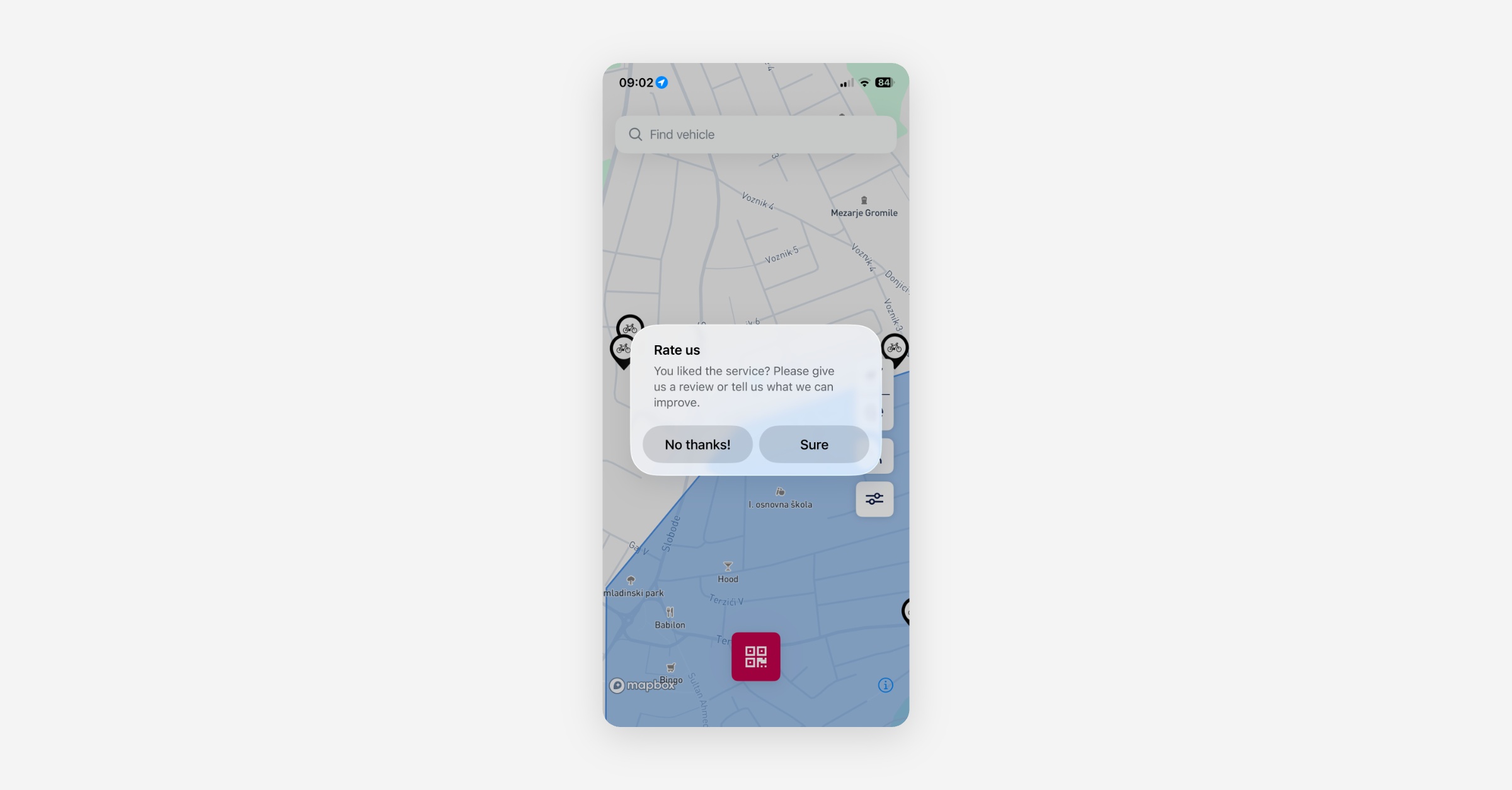
App store rating prompt: The in-app prompt asking riders to rate the app in the store is now shown independently of trip rating, bringing the app into compliance with Apple and Google store policies and removing the previous behavior that only offered the prompt to riders who gave a 5-star trip rating. The prompts texts can be adjusted to your preferences.
Location search error: Resolved an issue where selecting a location suggestion from search results returned an error instead of navigating to the selected location.
Booking
Minimum lead time incorrectly enforced: Resolved an issue where the booking time picker at a specific station was enforcing a 60-minute minimum lead time, blocking customers from making immediate or short-notice bookings even when the operator had not configured such a restriction.
Web App
General
House number and address supplement in user onboarding: The address step during user sign-up now includes house number and address supplement fields, allowing riders to provide a complete postal address from the start.
New Dashboard
General
Editing a business account no longer fails: Resolved a backend issue that was preventing updates to business accounts in both the dashboard and the web booking portal. Business account details can now be saved reliably.
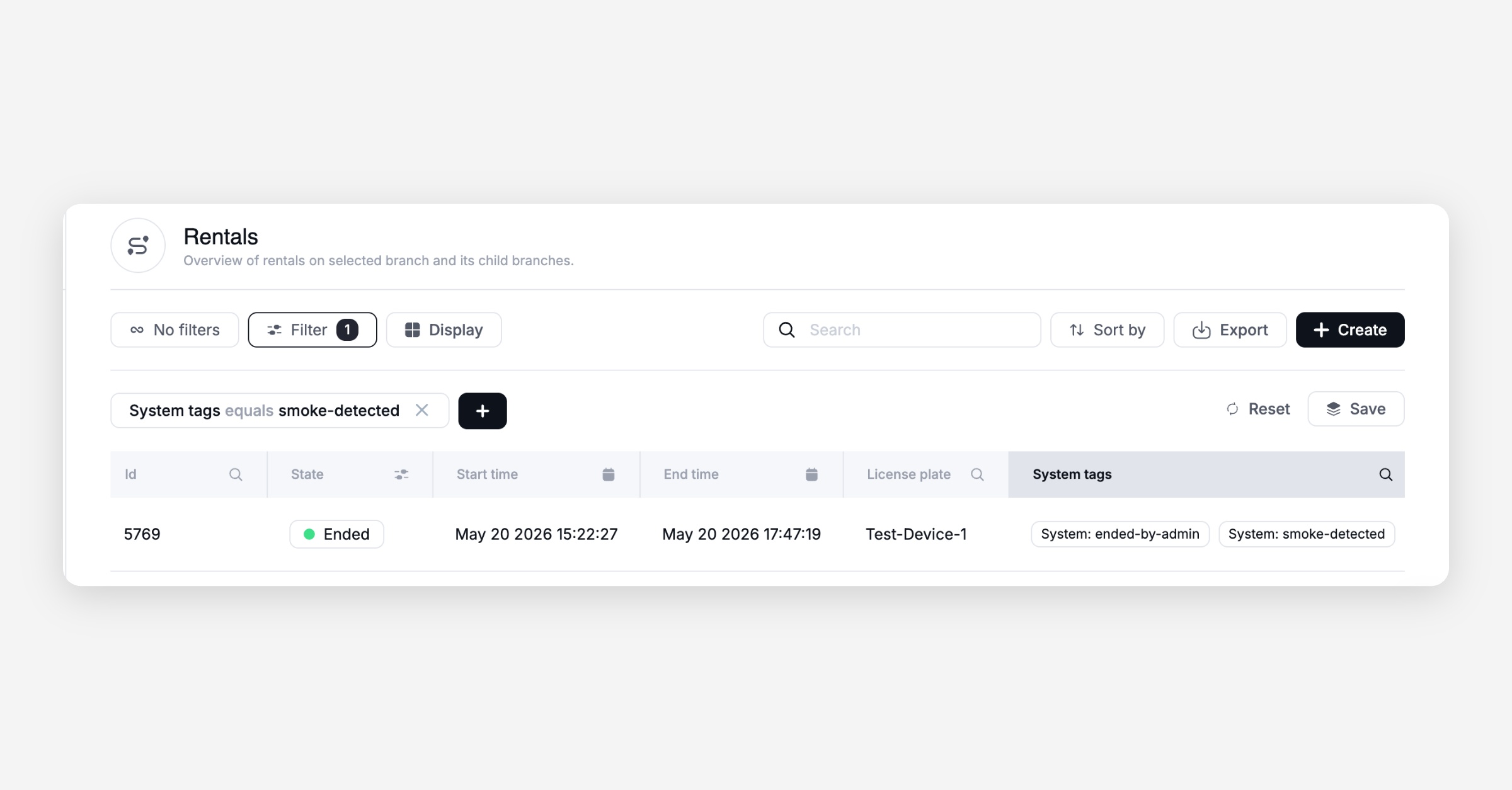
Smoke detection in rental events: Operators can now filter the rental table by smoke incidents and view smoke event details directly within the rental record, making it straightforward to identify affected rentals and review the timeline when handling disputes.
Smoke detection automation: Operators can now add a smoke detection trigger to their maintenance automation rules, configuring which task template to use, whether to change the vehicle state, and how to handle duplicate events, using the same automation tooling already familiar from other maintenance triggers.
House number and address supplement in user panel: Operators can now view and edit house number and address supplement fields directly in the user side panel, completing the address information available for a user without needing to leave the dashboard.
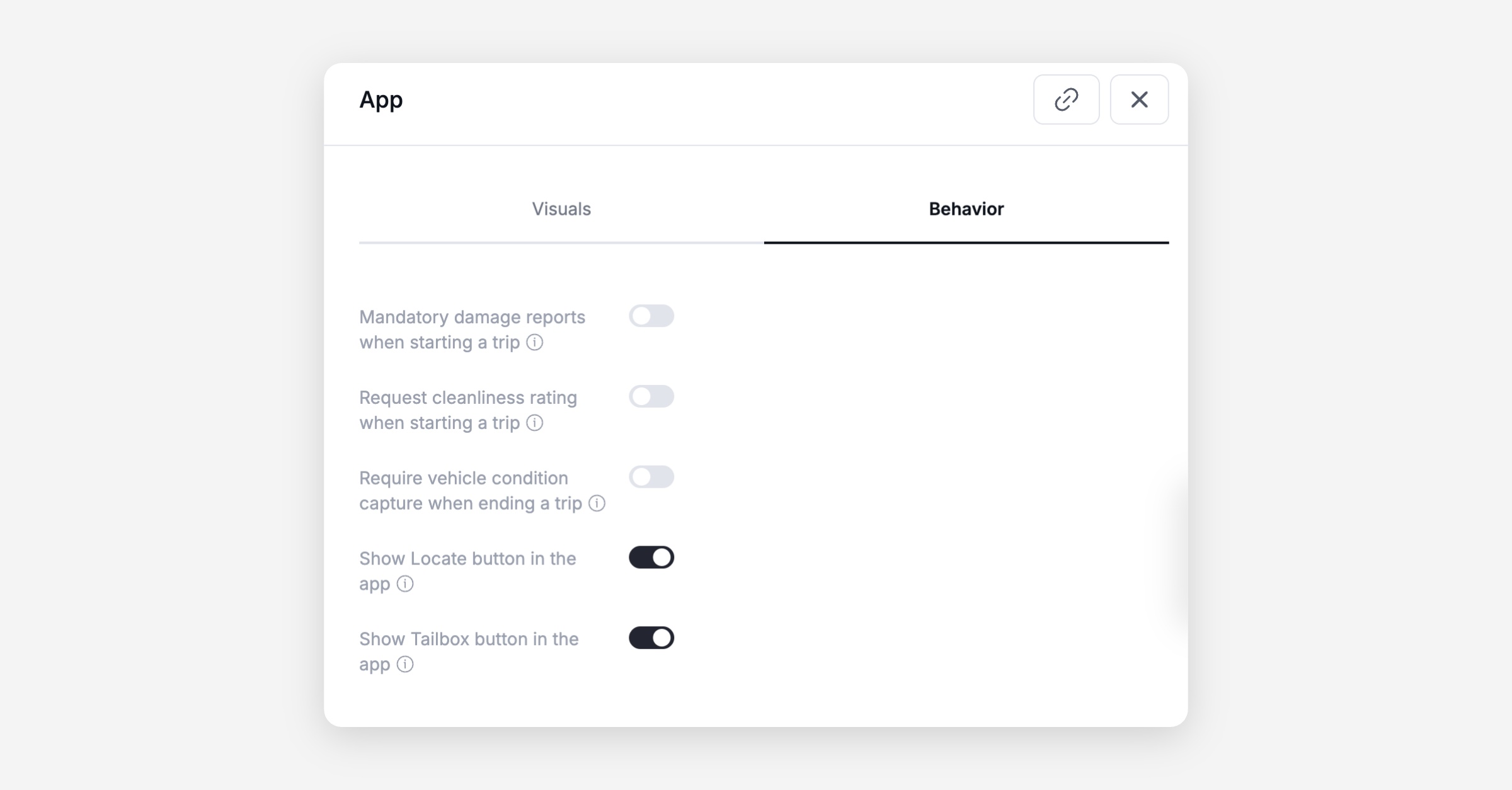
"Enable Locate" and "Display Tailbox" buttons restored: The "Enable Locate" (Honk) and "Display Tailbox" controls were missing from the vehicle categories app visuals section. Both buttons are now visible and configurable again, allowing operators to control which actions riders see in the app for each vehicle category.
Pricing schedule accessible after setting a future effective date: Resolved an issue where a pricing entry became unclickable after an effective-from date was set, preventing operators from reviewing or adjusting the pricing configuration.
On-demand pricing bundle accessible after archiving: Fixed a crash that made an on-demand pricing bundle unclickable after one of its versions was archived, restoring access to the bundle details.
Booking
Booking request acceptance from booking list: Resolved an issue where the booking list was incorrectly flagging a request as having a time conflict with an existing booking, even when no such conflict existed, preventing the operator from accepting the request directly from the list.
Conflict notification links updated: Booking conflict notifications sent to operators now link directly to the updated booking calendar view, so operators can navigate to the relevant day and vehicle category without an extra step.
Future date handling in booking calendar: The booking calendar now correctly handles date ranges when the active day falls in the future, preventing display errors when navigating to upcoming availability.
Vehicle availability accounts for rental end time: The vehicle availability list now also considers the rental end time when a rental has already concluded, preventing vehicles that have ended a rental from incorrectly appearing as still unavailable.
Platform
General
Free-minutes vouchers no longer produce negative invoices: Resolved a pricing calculation error where free-minutes vouchers stored their rebate as a generic time value instead of preserving the driving and parking breakdown. When multiple free-minutes vouchers were applied, the remaining rebatable amounts were miscalculated, sometimes producing negative invoice totals.
Vehicle service state no longer reverts after a deploy activity: Resolved an issue where setting a vehicle's service state to a custom category (such as "Other") was automatically reverted to "Functional" after a deploy activity event, without the operator clicking "Done". The state now persists until explicitly changed.
Station availability drop-off endpoint handles past start times: The drop-off station availability endpoint now truncates any start time provided in the past to the current time, returning only valid future time slots rather than empty or misleading results.
Vehicle availability considers cooldown at the correct station: Corrected a calculation error where outgoing bookings caused a vehicle to appear in the source station's availability list for the duration of the post-rental cooldown, even though the vehicle had already left and the cooldown belongs to the destination station.
Vouchers and Promotions
Custom-named promotion codes can now include a sign-up fee waiver: Operators can now create a reusable promotion code with a custom name (such as a campaign code) that also waives the sign-up fee, combining what previously required two separate mechanisms into a single branded code.
Validity period control for unique voucher codes: Operators can now configure how long a unique voucher code remains claimable after it is distributed, separately from how long the benefit is available once the code is added. This gives campaign managers precise control over both the claim window and the redemption window.
Consumed free minutes now included in rental response: The rental API response now includes the number of free minutes actually consumed during a rental, giving integration partners a direct value without needing to derive it from pricing line items.
API
General
New
BOOKING_PICKUPwebhook event: A newBOOKING_PICKUPwebhook can be fired when a vehicle is picked up at the start of a booking. The payload includes the booking ID and anadditionsfield, allowing integration partners to determine whether to fetch additional booking details without polling.Rental annotations now returned in rental list responses: The rentals list endpoint now returns an
annotationsarray for each rental, exposing the tags and labels attached to it. Previously you could filter the list byannotations.idbut the annotations themselves were not included in the response.
Data / BI
General
Embedded dashboard interactions and exports: Operators can now interact with embedded analytics dashboards, including clicking tiles, opening per-tile export menus, and using the explore function to analyse and understand the shown data even better.
Service App
General
Map performance on large fleets: The service app map has been reworked to handle large fleets without freezing. Vehicles are now clustered at city-wide zoom levels and individual markers load progressively as the worker zooms in, with a priority badge surfacing the most urgent vehicles first.
Report a problem or set a vehicle out of service without starting a work session: Field workers can now flag a vehicle as having a problem or mark it out of service directly from the map, without going through the "Approach" flow. Previously the only map action available would record the worker as having serviced the vehicle and start a work session, creating inaccurate records for vehicles the worker was simply passing.
Branch scan no longer prompts workers to switch when already in scope: Scanning a vehicle QR code in a child branch no longer shows a "Switch Branch?" prompt when the worker is already on the parent branch and has access to the vehicle. The prompt now only appears when there is a genuine scope mismatch.