
Wunder Mobility changelog
Release 34-2026 - Campaign Control & Wunder AI Accuracy
Highlights
Promotions now support both a hard end date and a per-user validity window simultaneously: Operators can configure a campaign that closes on a fixed date while also giving each rider a personal redemption window that starts at the moment they use the code. Whichever deadline arrives first applies, giving operators precise control over campaign budgets.
Mobile App
Requires the latest app version. Contact your Customer Success Manager for details.
General
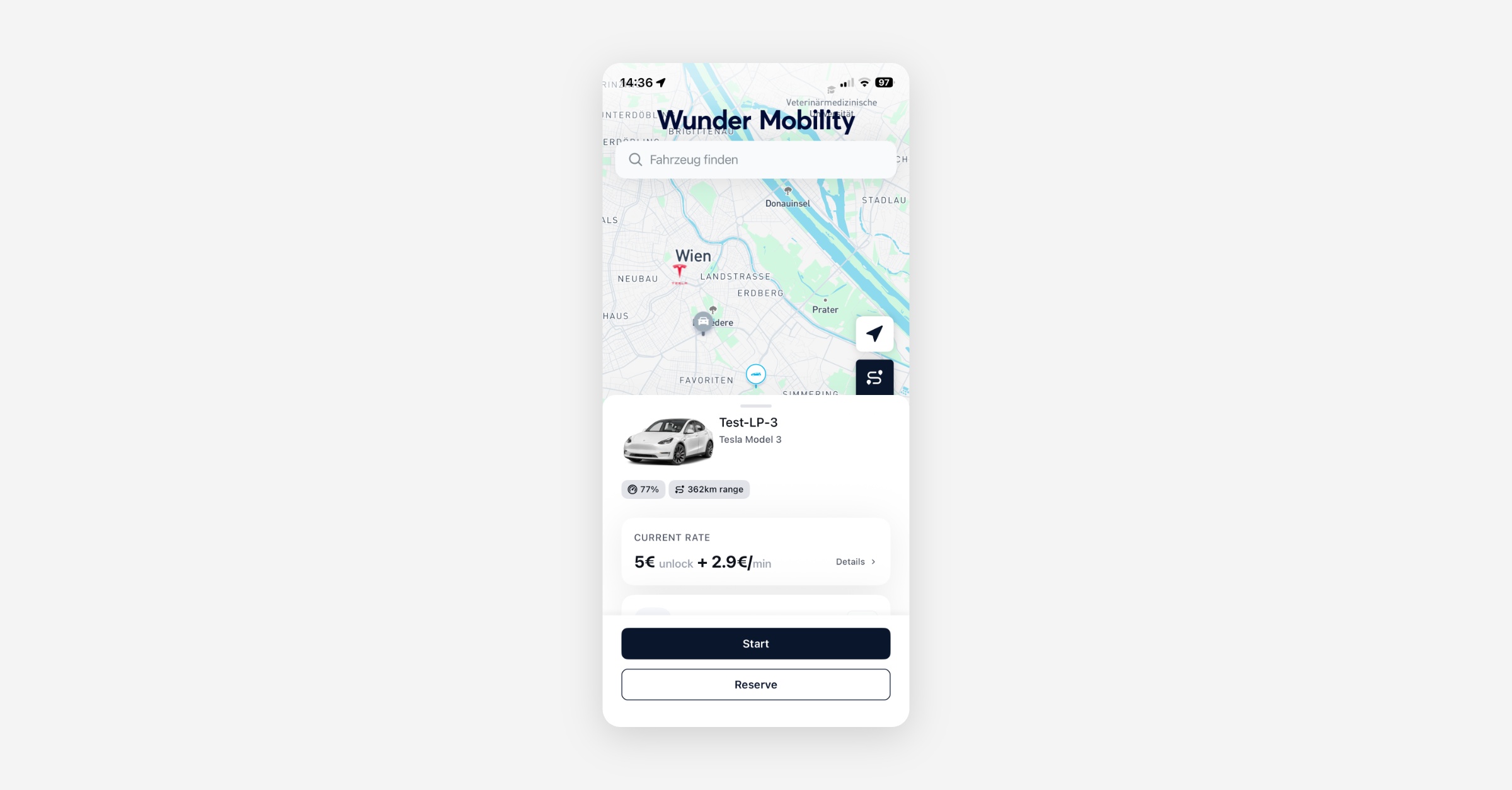
Improvements to new Vehicle Card: The vehicle sheet has been reworked in several places. The header now uses less whitespace and shows the vehicle price even in the collapsed state, so riders see the cost before starting a rental without extra taps. When range data is available, the battery or fuel level is displayed together with the estimated range, giving riders a clearer picture of how far they can travel before selecting a vehicle. Additionally, starting or reserving a vehicle now sends the rider's actual GPS position instead of the vehicle's location, which corrects distance checks and any supplementary charges based on where the rider was at rental start.
Booking
Subscription switch target clearly indicated: The subscriptions screen now marks the plan a rider is switching to with a "Switching" indicator, making it obvious which plan is pending before the current one ends. The target plan is also no longer selectable until the switch is confirmed, preventing accidental double-taps.
"Hour" now shown in German on the extend-booking screen: The hour option on the extend-booking screen was displayed in English while all other time options appeared in German. All extension options are now consistently localized.
New Dashboard
General
Referral rewards now support multiple benefits: Operators can now configure multi-benefit referral voucherables, including free-minutes rewards, directly in the Dashboard. Previously, referral voucherables were limited to legacy single-benefit shapes, blocking operators whose referral programmes are minute-based from rebuilding their offers in the platform.
Event lists label who performed each action
Every event entry now names the actor and what kind of actor it was: Operator for a back-office user, End User for the customer, or System for an action the platform performed on its own. Operator and End User entries carry the person's name and ID. This covers the Events tab on a booking, a rental and a user.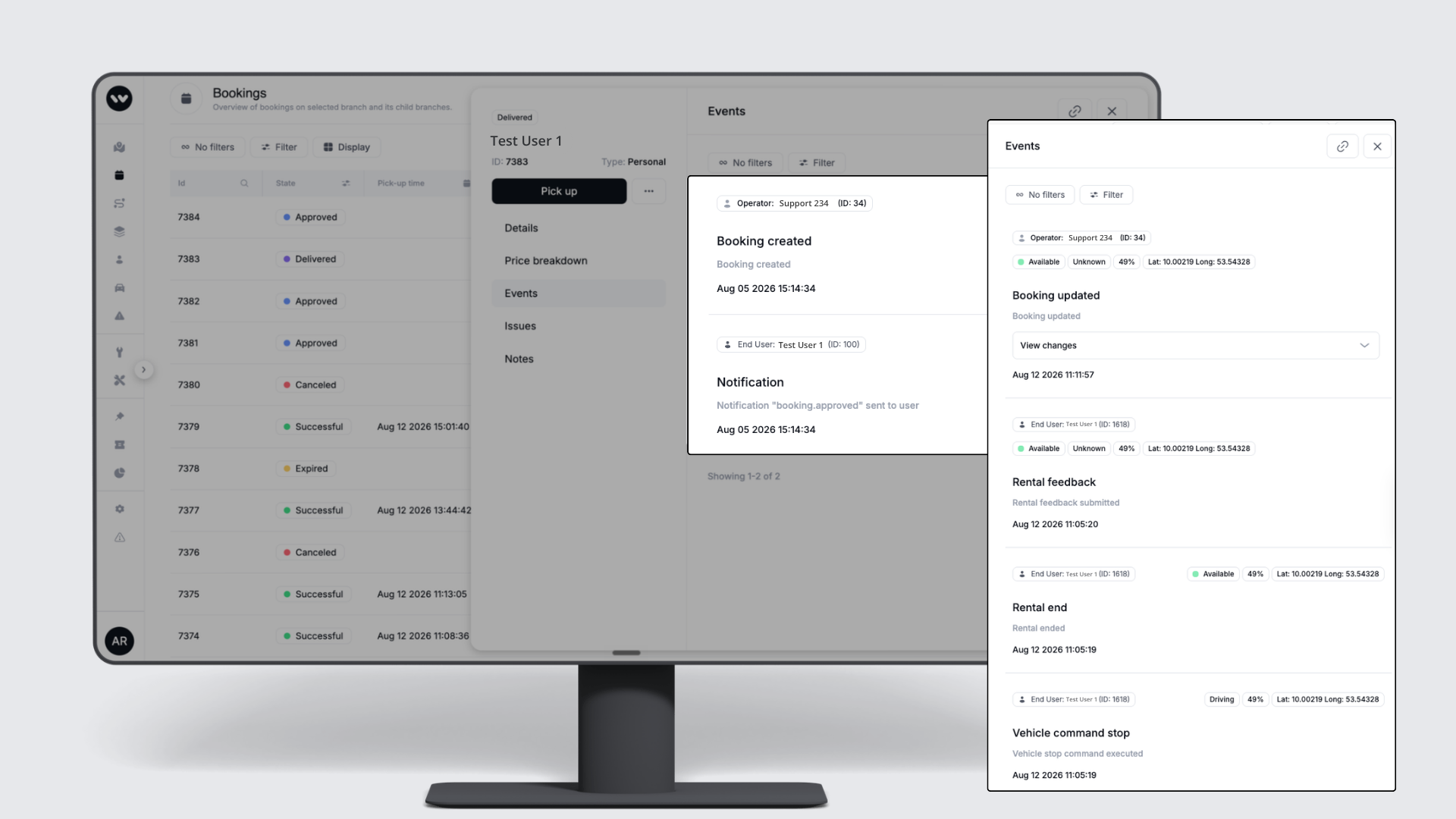
Booking times after a rental starts - end editable, start fixed: Editing a booking whose rental is already under way now behaves consistently. The start time is fixed to the time the rental began, while the end time can still be shortened or extended. The edit screen states that only the end time can be changed.
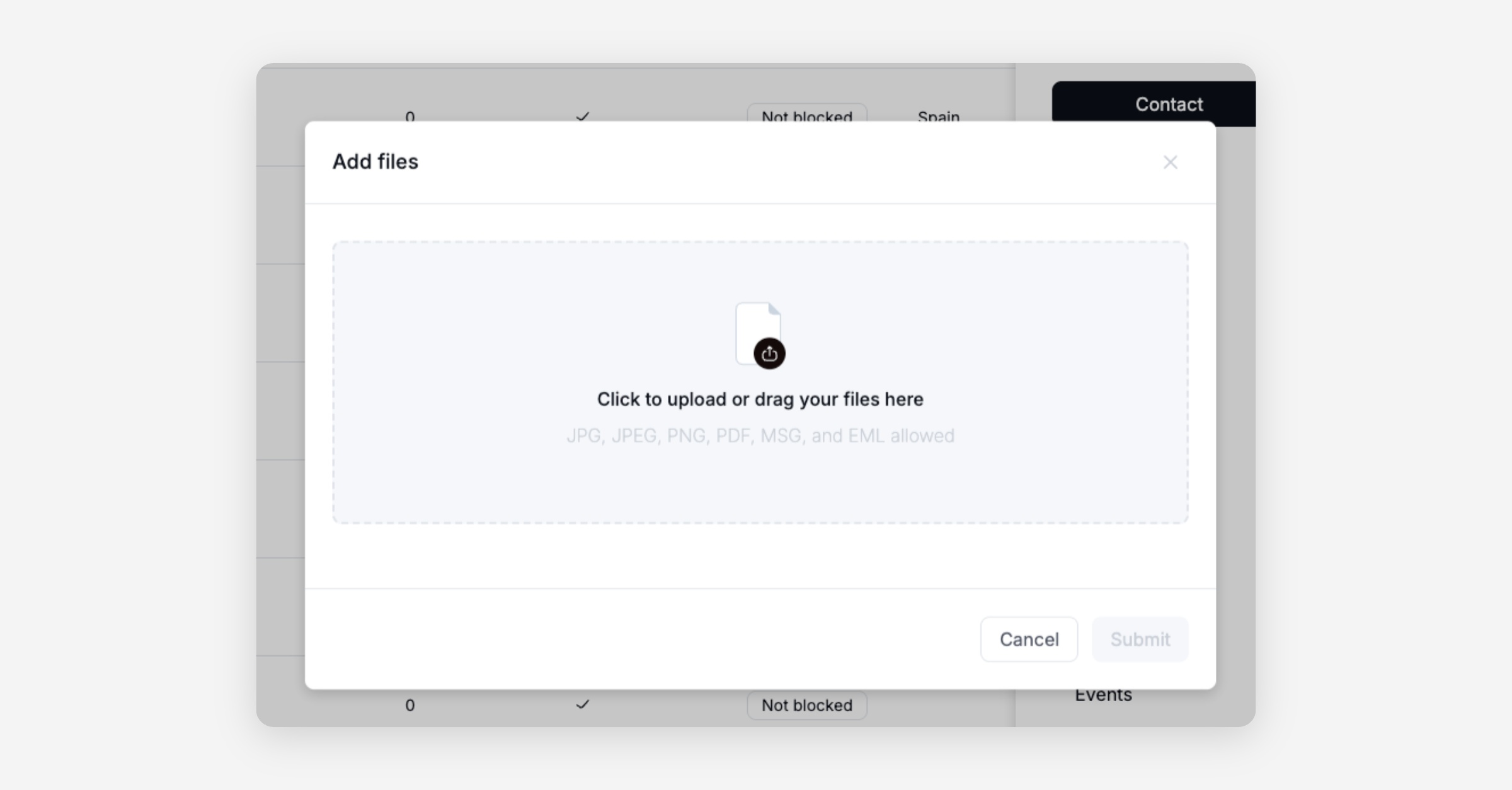
Email files accepted in the customer Files section: The customer Files upload dialog now accepts MSG and EML email files alongside the existing PDF, PNG, JPG, and JPEG formats, restoring the ability to archive email correspondence directly against a customer record.
B2B
Free-minutes vouchers shown correctly in user and business account panels: Vouchers that grant free minutes were previously displayed as "Value" vouchers in the User Vouchers side panel and the Business Account Vouchers section. They now correctly show as "Free Minutes: X/Y" so operators can distinguish them at a glance without opening each record.
Custom expiry date when assigning a customer-care voucher from the verification panel: Operators assigning a customer-care voucher from the verification panel can now set a custom expiry date on the voucher, ensuring time-limited benefits (such as concession offers) expire when intended rather than using a system default.
Booking
Promotions now support both a fixed end date and a per-user validity window: Operators can set a hard campaign close date alongside a per-user redemption window that starts at the moment a rider uses the code. Whichever expires first applies. This removes the need to choose one constraint.
Platform
General
Hardened sign-in security: We strengthened our sign-in flow with multiple protections against credential stuffing and other automated attacks on rider accounts.
Vehicle label preserved when leaving one of multiple overlapping areas: A vehicle inside two areas that both grant the same label was incorrectly losing that label when it left either area, even though the other area still applied it. The vehicle now retains the label until it has left all areas that grant it.
Rate selector now works with pricing bundles: Operators can configure multiple rates per vehicle within a pricing bundle, and riders or client integrations can select one before starting an on-demand rental. This unblocks operators whose pricing strategy depends on rider-selectable rates rather than a single fixed rate from migrating completely to the New Dashboard.
Data / BI
General
Branch names added to rental revenue breakdowns: The rental revenue satellite tables now include human-readable branch names alongside the numeric branch IDs. Revenue breakdowns by branch now show city or branch names rather than raw numeric identifiers.
"Rentals per vehicle per day" metric corrected: The Wunder AI assistant was returning exaggerated figures because it was drawing from a monthly fleet revenue model rather than the correct daily metric. The governed measure is now used consistently.
Conversational analytics access now respects each user's data permissions: Wunder AI answers are now scoped to the data a user can already access in the Dashboard. A service agent can no longer query company-wide revenue figures that their role does not permit in the standard reporting views.
Branch selector dropdown rendering fixed on analytics pages: The branch selector on the Fleet Health Overview analytics page was cutting off option text and overlapping the KPI tiles beneath it. The dropdown now renders clearly and operators can switch branches without display issues.
Service App
General
Damage severity can now be set in the Service App, and missing severity shows a clear error: Field operators were unable to set a damage severity in the Service App before approving a damage report. Tapping "Approve damage" would fail silently with no feedback. Severity can now be set directly in the app, and if it is still missing when approval is attempted, a clear error message is shown instead of a silent failure.
Business Area now visible for admin users in the Service App: Admin-permission users were unable to see the Business Area in the Service App despite having full visibility in the Operations Map. Visibility now matches across both tools for users with admin-level permissions.