
Wunder Mobility changelog
Release 38-2026 - Ops Map Intelligence & Fleet Reliability
Highlights
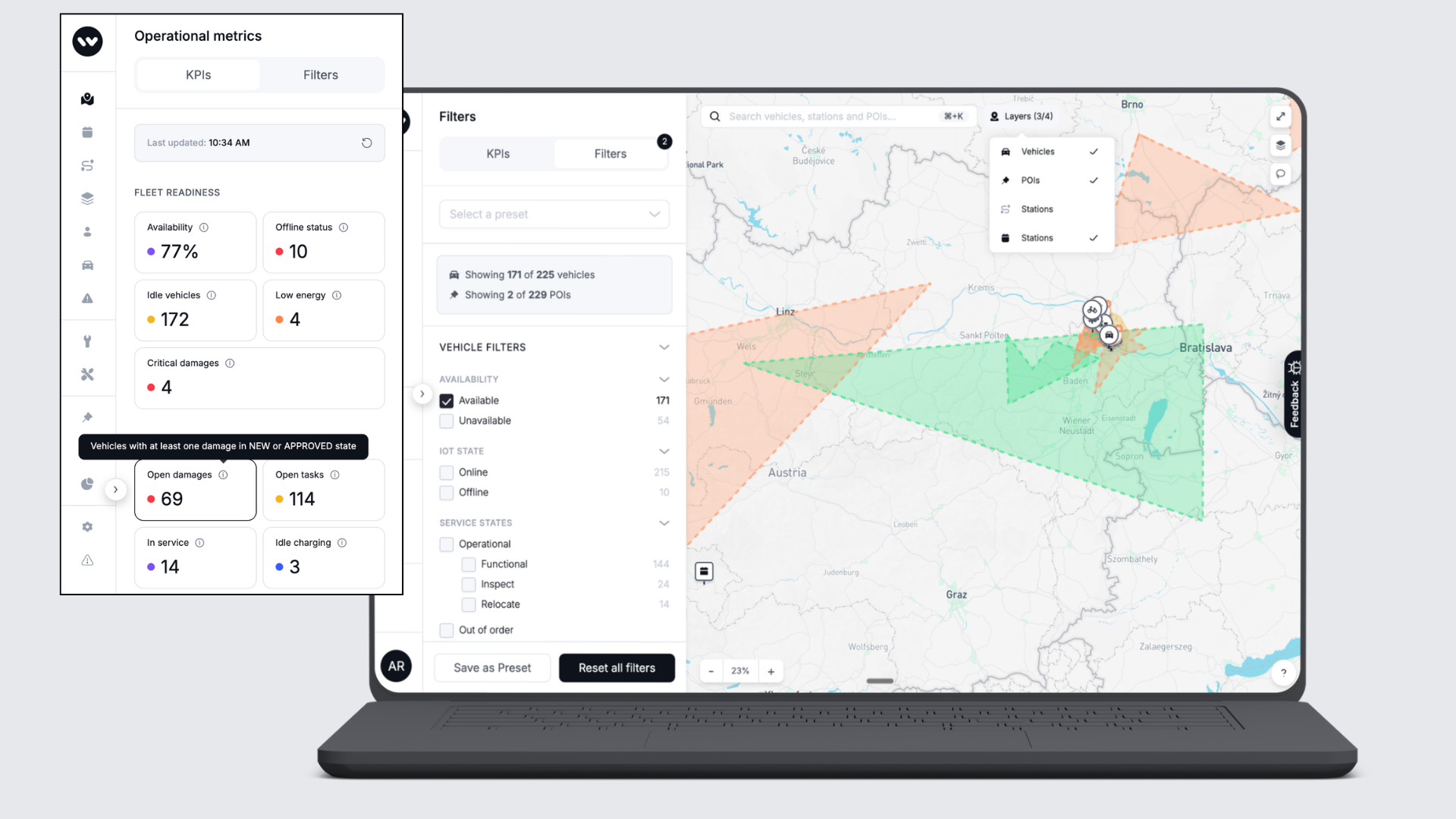
Smarter Ops Map for daily fleet management: The Ops Map now shows how many vehicles and POIs match your active filters at a glance, so fleet managers can assess workload and fleet state without counting manually. Hovering over any KPI tile now reveals a plain-language explanation of what that number means, turning the map into a more self-explanatory tool for daily operations.
Vehicle Promotions now support user-based targeting: Operators can now configure required or excluded user annotations directly on a Vehicle Promotion in the Dashboard, unlocking precise targeting based on user characteristics without workarounds. This can be used to run special vehicle-based promotions for users with/without active subscriptions, packages, passes or based on segmentation (e.g. users without a rental).
Mobile App
Requires the latest app version. Contact your Customer Success Manager for details.
General
Profile reflects updated address immediately: After completing the address update prompt during sign-in, the profile screen now shows the correct house number straight away, without requiring a log-out and log-in to see the change.
Station availability loads faster: A query behind the station-availability screen was generating thousands of unnecessary database calls on larger fleets, causing multi-second delays. This has been resolved, so the screen now responds promptly.
Extending a booking is no longer blocked by the previous cooldown: If a booking starts while the same vehicle is still in cooldown from the previous booking, that cooldown now ends at the new booking's start instead of running over it. Extensions that failed with the vehicle showing as unavailable now go through.
Configurable icons for on-demand stations: Operators can now assign distinct icons to individual on-demand stations on the map, making it easier for riders to distinguish between station types and enabling use cases that previously required all stations to look identical.
Fallback text edits now save correctly: Editing fallback messages for localization keys in the Dashboard now saves and returns the updated text immediately. Previously, some keys with missing locale assignments appeared to save in the UI but returned the old text from the API.
T&C acceptance no longer leaves the booking screen stuck: After accepting updated terms and conditions during the rental start flow, the screen now refreshes rental requirements automatically, so riders can proceed without having to restart the app.
New Dashboard
General
The Ops Map now fits smaller browser windows: The Ops Map layout now adapts to the width of the browser window instead of pushing the quick-filter panel out of view. On smaller laptop screens, or when you resize the window down, the quick filters stay visible and usable.
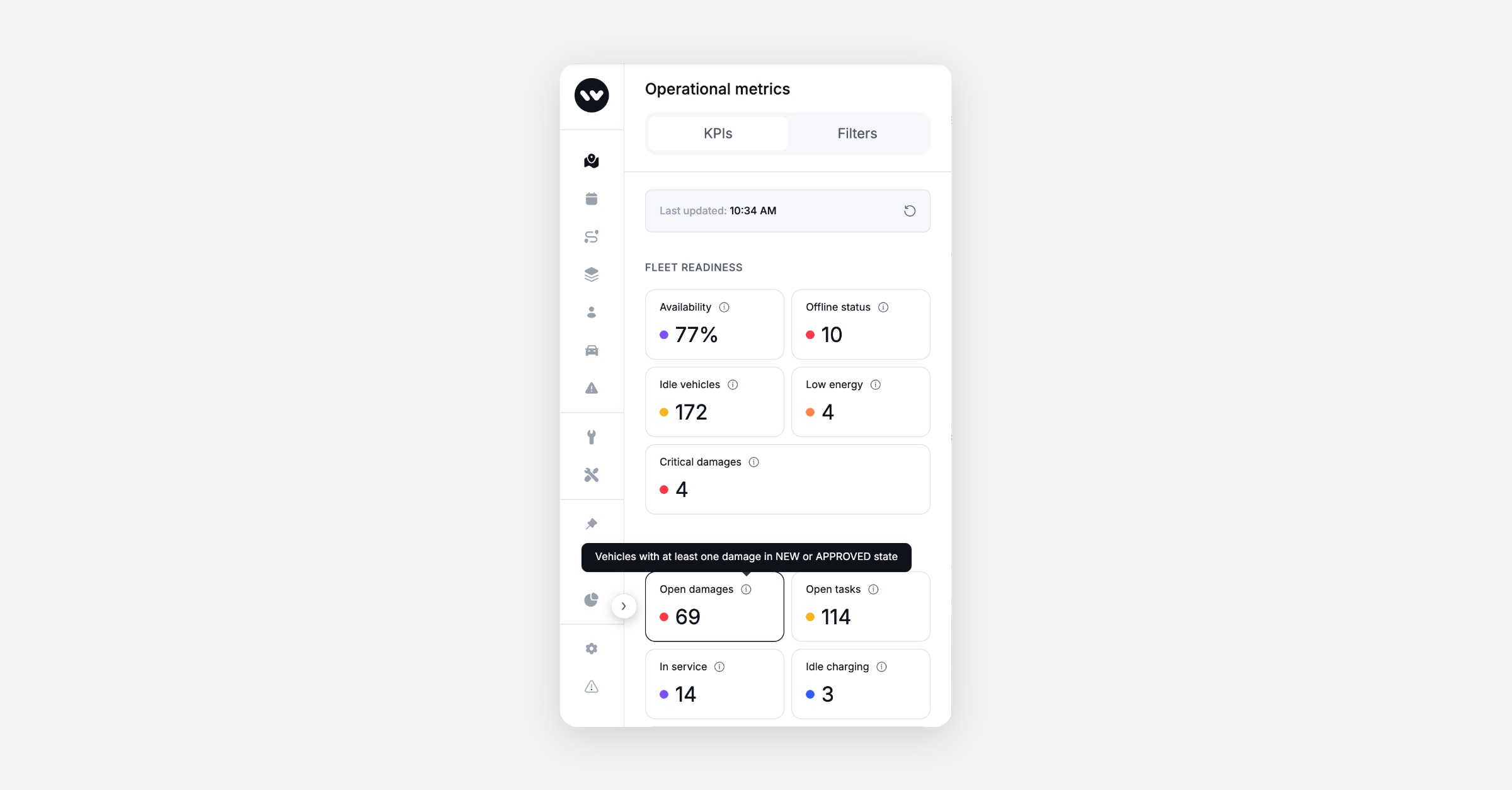
KPI tile descriptions on hover: Hovering over any KPI tile on the Ops Map now shows a short explanation of what that metric represents, helping operators interpret fleet readiness, utilisation, and service indicators without leaving the page.
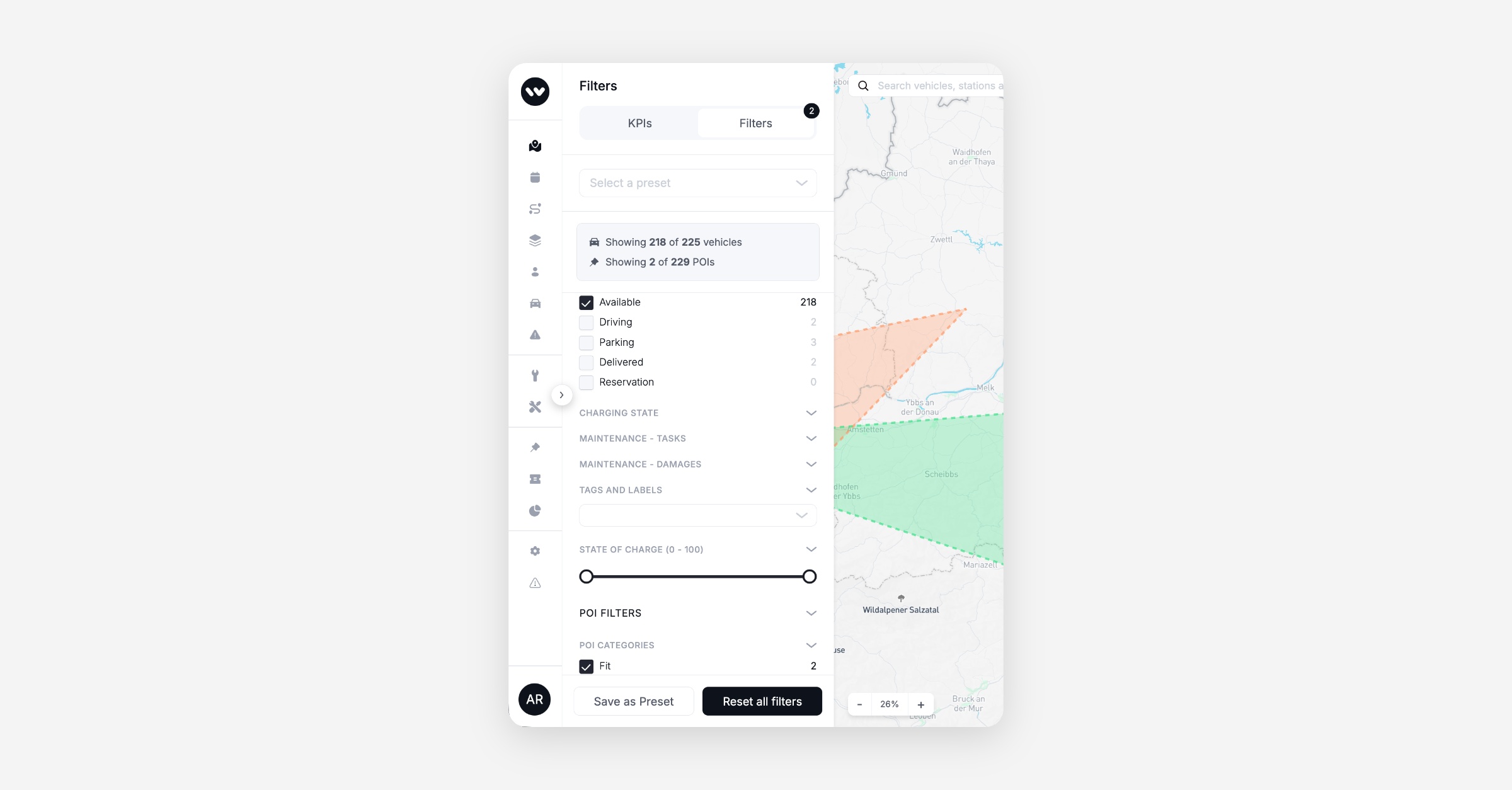
Filtered counts for vehicles and POIs: The Ops Map filter panel now shows how many vehicles and how many POIs match your active filters, each against the total on the map. Both lines update as you toggle filters, so you can see the effect of a filter without counting pins.
Booking
Vehicle Promotions now support user-based targeting: Operators can now configure required or excluded user annotations on a Vehicle Promotion directly in the Dashboard.
Platform
Error responses now use the correct HTTP status codes: Several conditions that a caller can fix, such as a missing permission or an invalid setting value, were previously returned as HTTP 500, which signals a server fault. These now return the appropriate 4xx codes, so clients and monitoring dashboards can distinguish caller errors from platform errors.
Data / BI
Wunder AI
Dormant and never-rented customers are now answerable: You can ask Wunder AI how many of your customers have not rented in the last 3, 6 or 12 months, and the answer includes people who have never rented at all. Ask for a window it does not hold and it says so and names the ones it has, rather than quietly answering on the nearest one. Try it: "Show the number of customers who have not rented in the last 6 months"
Damage and issue counts are now answerable: You can ask Wunder AI how many damages were reported over a period, and how many issues were raised per 100 trips. Issues here cover every issue category your team records, including purchases, fines and tolls, so the rate is not a vehicle-defect rate. Previously only service task counts were available.
Revenue by branch answers at your operational branch: Asking Wunder AI for revenue by branch, location or station now returns your operational branches.