
Wunder Mobility changelog
Mobile Release - 3.17.0
Booking
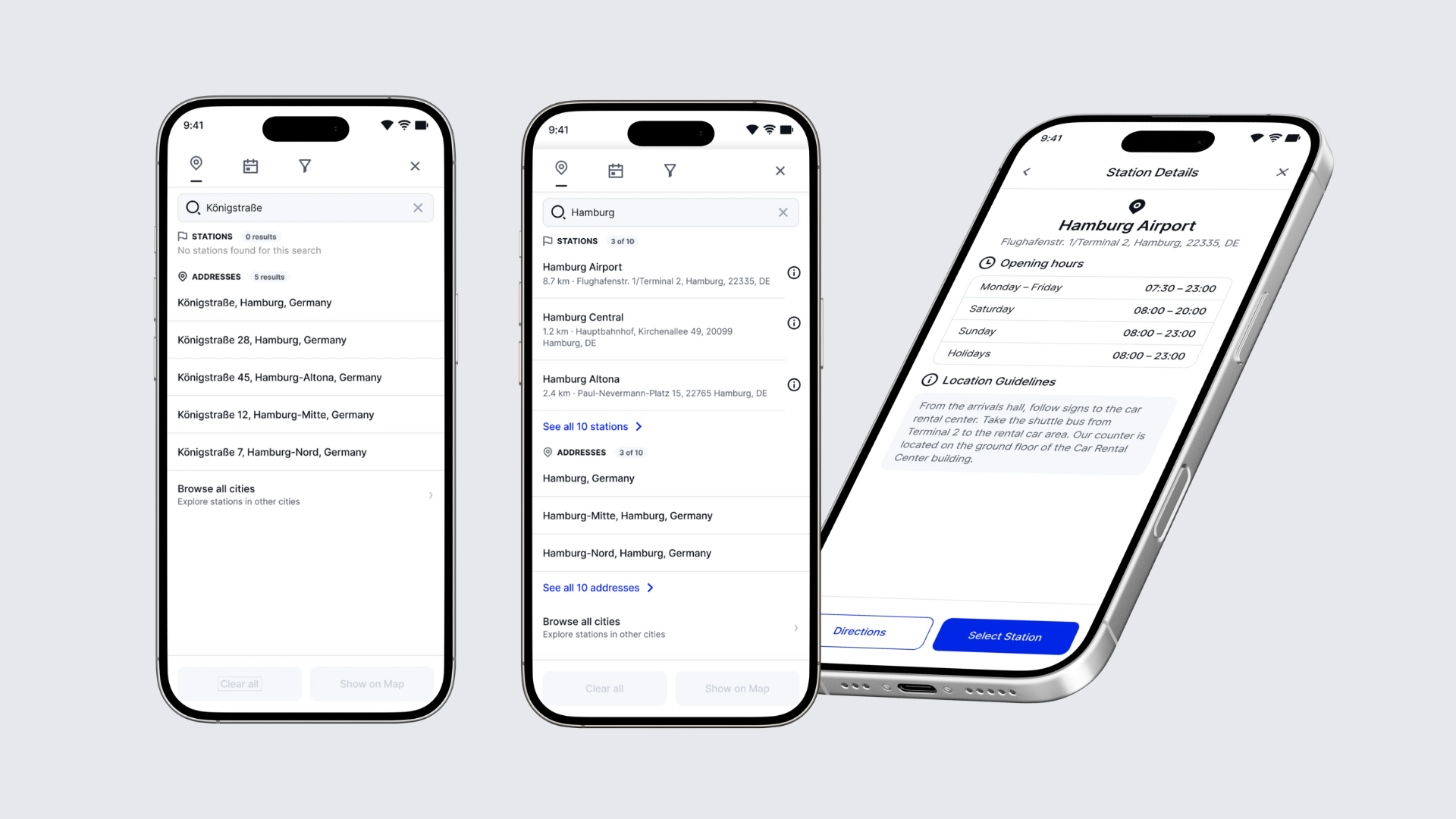
Booking search now separates stations from addresses: When end users search in the booking flow, the station they want no longer gets lost among streets and places with the same name. Results appear as they type, in two groups, Stations and Addresses, and each station shows its name and full address. If a group has no matches, it says so, so end users know straight away whether a place has a station. "Show on map" replaces the Search button and shows every matching station on the map.
Station details from booking search: End users can now check a station before they start a booking. Opening a station from the search results shows its Station Details: address, location guidelines and opening hours. From there they can get directions in their maps app, or tap Select Station to start a booking with that station already set as pickup.
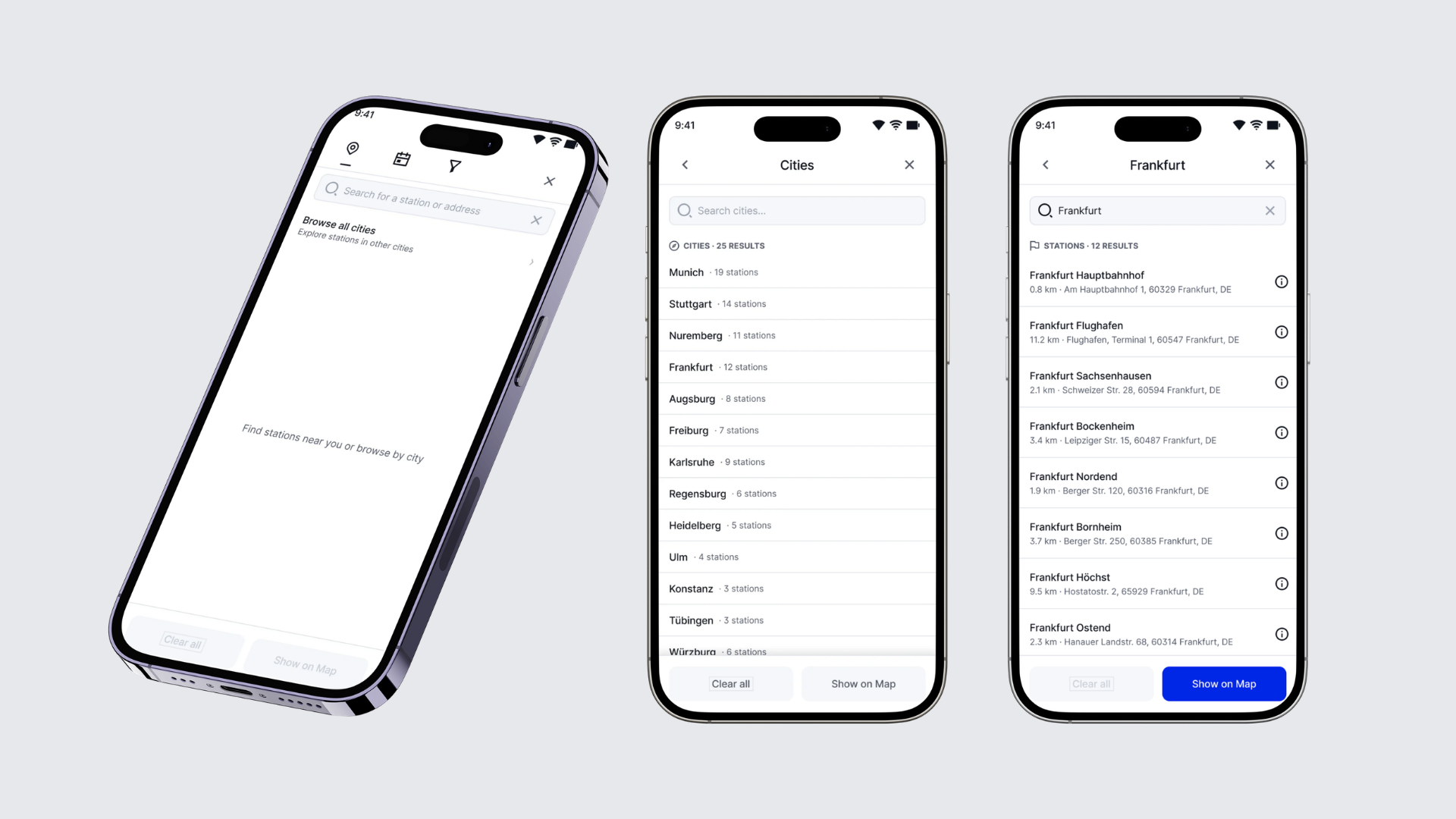
New - Browse all cities in booking search: Show end users exactly where you operate. "Browse all cities" on the search screen lists every city in your network with its number of stations. From a city, end users can see all of its stations on the map, open any station's details, and go straight into booking. It is off by default and can be turned on in your booking settings.
Filter tab hidden when nothing is configured: The booking search's filters tab is now shown only when your account has vehicle attributes configured, so customers no longer land on an empty tab.
Recurring booking search error fixed (S153): An expired date and time filter that stayed saved in the app could trigger the error every time the map moved, even after restarting the app. Expired filters are now dropped automatically, stations load without them, and the booking calendar no longer preselects them.