
↵Open
Wunder Mobility changelog
Service App Release - 2.2.0
Requires Service App 2.2.0 from the App Store (iOS 16.4 or later) or Google Play. Field workers update the app; no setup needed on your side. Contact your Customer Success Manager for details.
Highlights
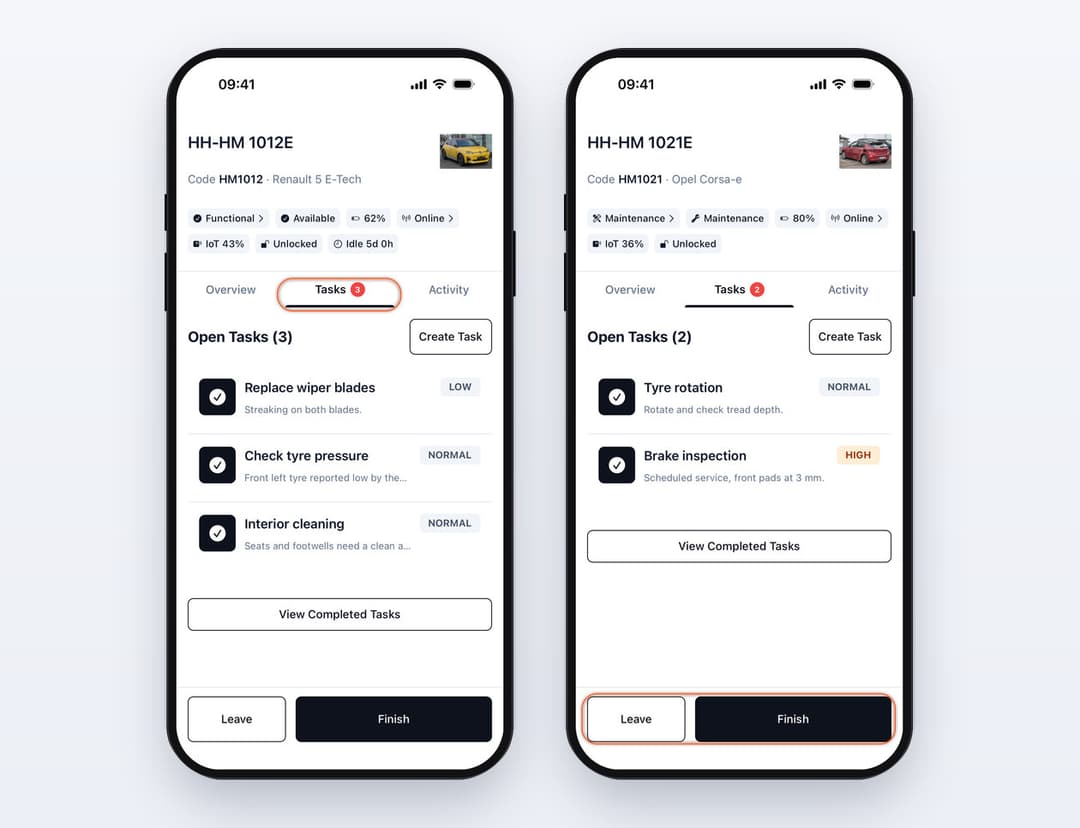
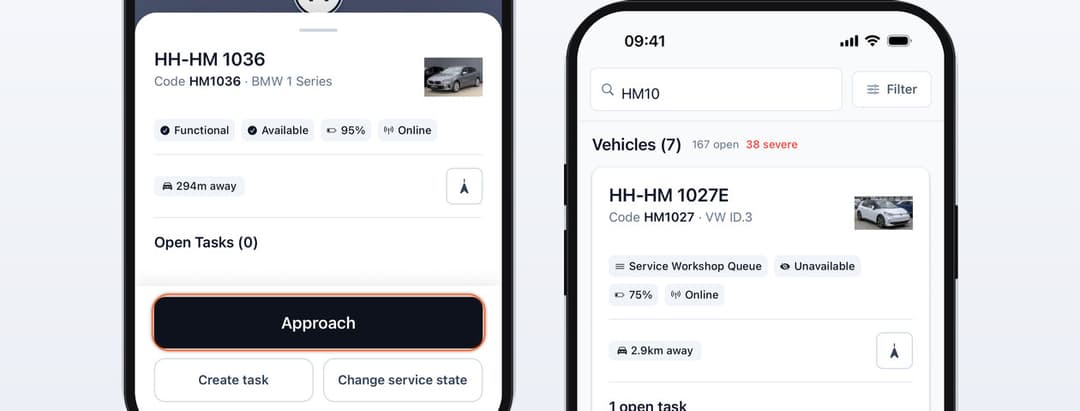
Approach works on every vehicle, including vehicles with open tasks: Tap a vehicle on the map and tap Approach. The app takes the vehicle out of rental before your field worker gets there, also when it already has open tasks. If it has open tasks, the vehicle opens straight on the Tasks tab, so the worker sees the work right away.
Leave and Finish are always at the bottom of the vehicle screen: The two buttons that end a visit now sit in a fixed bar at the bottom, on every tab, within thumb reach. The app waits until the server confirms. If the network drops, the worker gets a clear message with Retry, so a vehicle is not left half-closed.
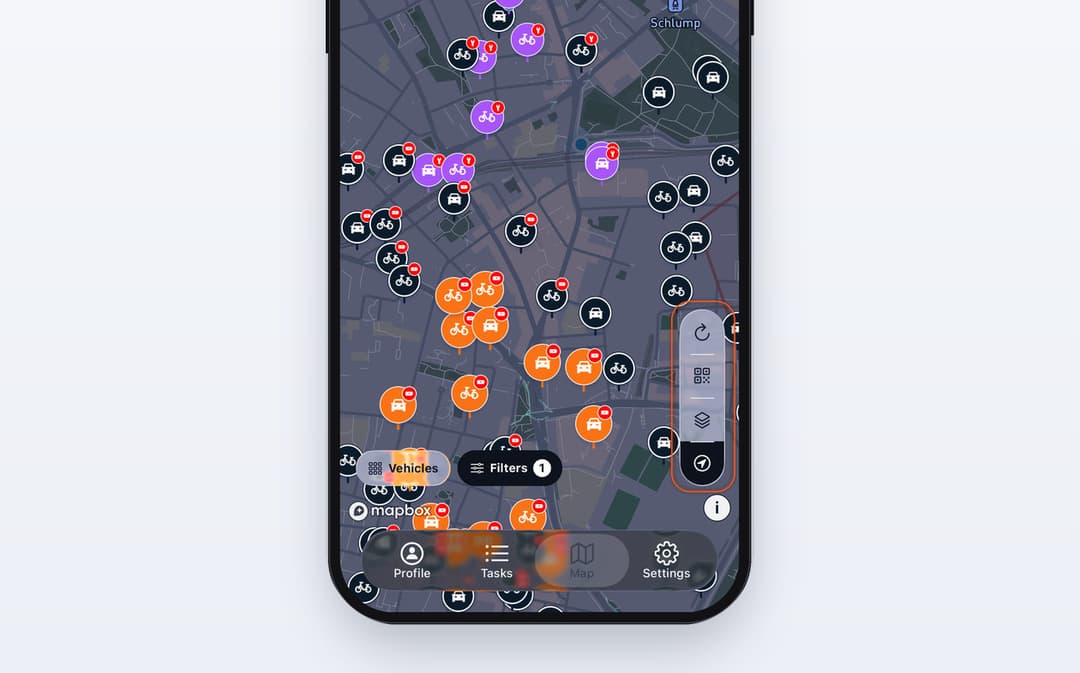
A cleaner app that matches the phone: The tab bar is now the phone's own native tab bar. On iOS 26 and later, the map buttons use Apple's new glass look and stay readable on the map. Buttons and labels on Android no longer hide behind the system navigation bar.
Service App
Map
Vehicles stay on the map while you pan and zoom: Markers no longer disappear for a second after every map move. This applies to branches with up to 5,000 vehicles. Field teams keep the overview while scanning the map for vehicles that need them.
Idle time is correct after a rental: The idle time on a vehicle now restarts when a rental ends. A vehicle driven this morning no longer shows "7 days idle".
"Idle for at least" filter shows the right vehicles: The filter now counts from the end of the last rental. You can also enter your own number of hours under Custom hours (1-720).
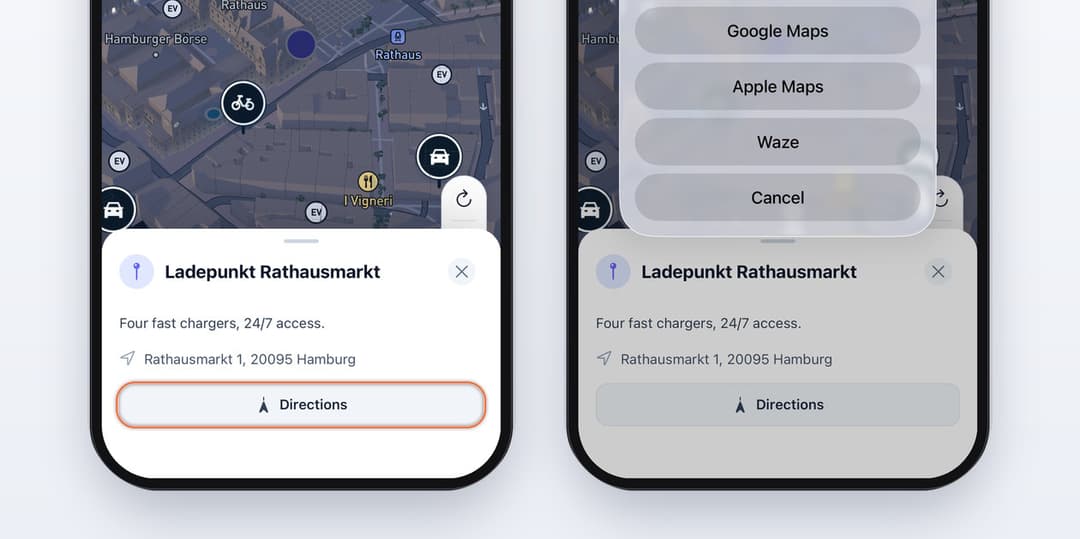
Directions to points of interest: Tap a point of interest, such as a parking bay or a charging point, and tap Directions to open it in your maps app. No more copying addresses.
Vehicles
Plate and vehicle code on every vehicle header: The licence plate and the vehicle code now show on the map preview, the task list card and the vehicle screen. Workers can match the vehicle on the street faster.
Also improved
Fewer unexpected logouts: The app keeps the worker signed in when the connection is briefly lost while the app starts.
Bigger touch areas: The map filter chip and close buttons are at least 44 pt on iOS and 48 dp on Android.
Equal-height status chips on the vehicle screen.
Android: the maintenance icon shows again, and action bars on the task and damage screens sit above the navigation bar.
Light theme: The app always uses the light theme, also on phones set to dark mode.
Updated to the latest mobile platform for better stability.